




In short: SQL Server index maintenance means measuring how indexes fragment over time and fixing them with REORGANIZE or REBUILD. Neglected indexes lengthen reads and inflate backup and maintenance windows. For SMEs, a weekly maintenance plan is often the cheapest way to clear slow-report complaints without touching every query.
Every UPDATE, INSERT and DELETE scatters index pages a little further: pages split and logical order drifts from physical order. The same query then reads more pages; disk and memory pressure rise. Trying to fix performance only with new hardware or query rewrites while ignoring index maintenance leaves the root cause in place.
This article explains what fragmentation means, the difference between REORGANIZE and REBUILD, when to choose each, and how to set up a safe maintenance plan step by step.
Why does SQL Server index maintenance matter?
Indexes help queries reach the right rows quickly. Under heavy write load, index pages fragment:
- Internal fragmentation: empty space remains on pages, so more pages are read for the same data.
- External fragmentation: logical order breaks, so sequential reads turn into random I/O.
Fragmentation is tracked as a percentage. Common practice is to reorganize between about 10–30% and to rebuild above 30%; thresholds should follow workload and the maintenance window. Microsoft’s official guide to reorganize and rebuild indexes summarises the commands and the caveats.
REORGANIZE or REBUILD?
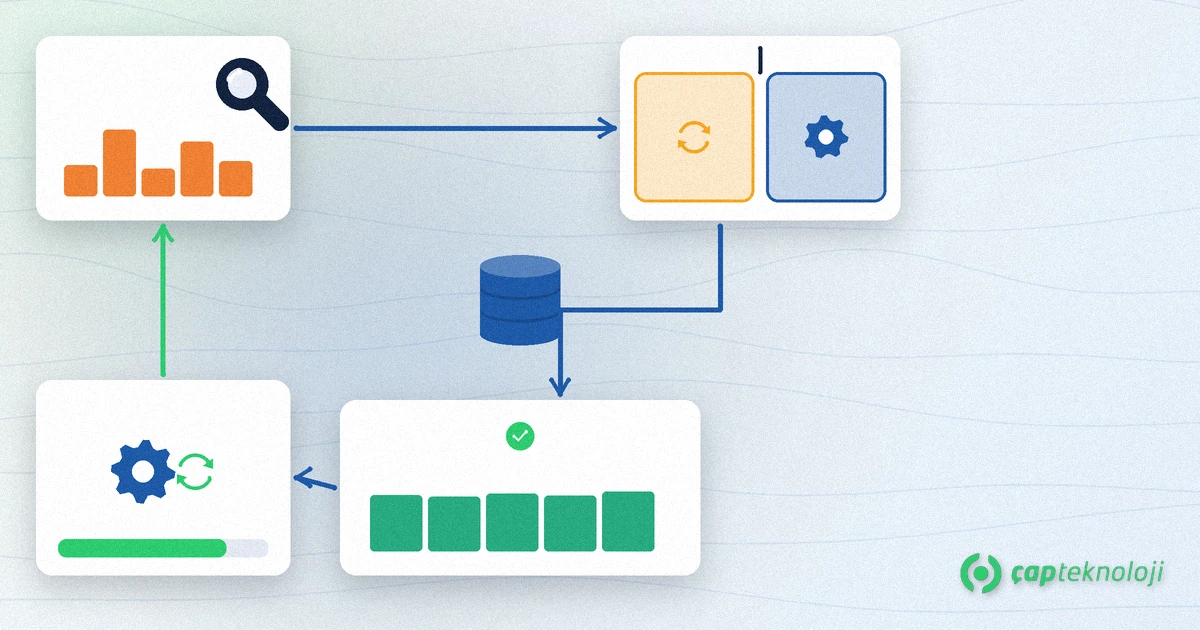
1. Measure fragmentation
Use sys.dm_db_index_physical_stats for avg_fragmentation_in_percent and page_count. High percentages on tiny indexes can mislead; decide together with page count.
2. REORGANIZE
Runs online, keeps locks short and tidies the index in place. It fits moderate fragmentation and narrow maintenance windows, and is usually safe to schedule even in busy SME environments.
3. REBUILD
Rebuilds the index from scratch and refreshes statistics. Enterprise Edition offers ONLINE rebuilds; on Standard the object may stay locked longer. Prefer rebuild for high fragmentation, large indexes and quiet overnight windows.
4. Fill factor and the maintenance window
Fill factor leaves room on pages for future updates. Too low bloats the index; too high accelerates fragmentation. Keep maintenance outside backup and peak reporting hours; otherwise SQL locking can spike.
5. Statistics and query plans
REBUILD updates statistics; REORGANIZE does not. After maintenance, check plan cache and duration for critical reports. For broader tuning, also apply the checks in 10 ways to improve SQL database performance.
How do you set up a safe maintenance plan?
A one-off REBUILD is not enough; you need a repeating rhythm:
- Weekly measurement: list indexes above your fragmentation and page-count thresholds.
- Gradual action: REORGANIZE first, REBUILD when needed; do not blindly rebuild the whole database.
- Align with backups: confirm a current backup before a large REBUILD; our SQL Server backups article covers the RPO/RTO frame.
- Monitor: record the slowest queries and disk latency after maintenance; if nothing improves, the issue is the query or a missing index, not fragmentation alone.
Schedule the jobs with SQL Server Agent and log each run to a table. You will see which indexes keep fragmenting and which REBUILDs take too long. The same tracking also exposes bloated plans that rebuild every index every night without need.
Checklist: before you start index maintenance
- Are the databases and indexes in scope written down?
- Are fragmentation thresholds and a minimum page count defined?
- Does the window avoid backups and peak hours?
- Is ONLINE REBUILD available for your Standard/Enterprise edition?
- Is there a verification list for critical reports afterwards?
SQL Server index maintenance is an operational discipline that should come before expensive hardware. You can also weigh scope and risk from an SQL consulting perspective.
At ÇAP Teknoloji we help SMEs set up SQL Server index maintenance, performance and backup plans together. Look at our SQL consulting services or get in touch to review your database.
Frequently Asked Questions
What is the difference between REORGANIZE and REBUILD?
REORGANIZE tidies the index in place online and does not refresh statistics. REBUILD rebuilds from scratch, refreshes statistics and is preferred for high fragmentation; ONLINE rebuilds may be limited on Standard Edition.
At what fragmentation percentage should I maintain indexes?
Common practice is REORGANIZE around 10–30% and REBUILD above 30%. On tiny indexes the percentage can mislead; decide with page_count and tune thresholds to your workload.
Will index maintenance slow the application?
If the window hits peak hours, locking and I/O can rise. REORGANIZE is usually lighter; schedule large REBUILDs overnight and outside backups.
What if performance does not improve after maintenance?
The issue may be a missing index, a bad query or stale statistics rather than fragmentation. Review the slowest queries, plans and missing-index suggestions.