



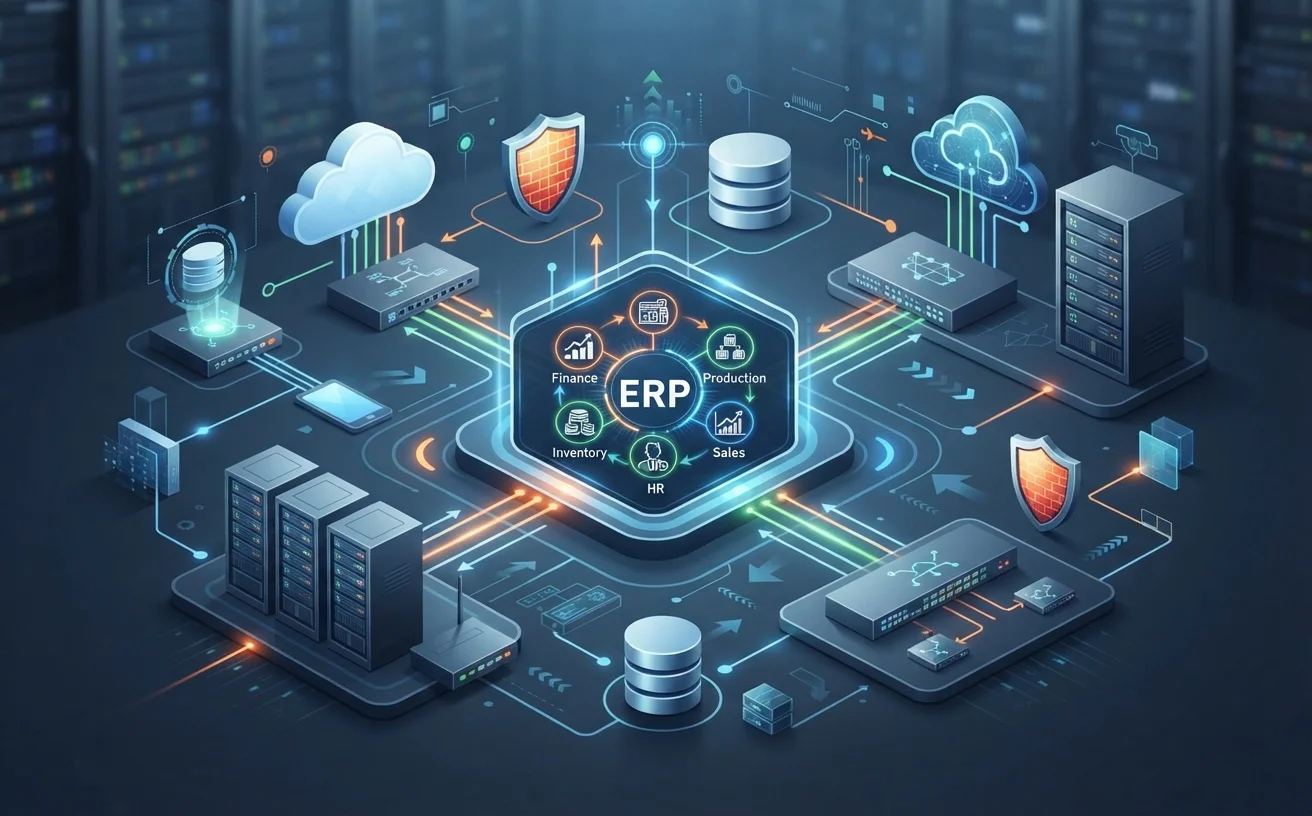
ERP and IT Infrastructure Management: How Enterprise Systems Integrate
ERP (Enterprise Resource Planning) systems bring together a business’s finance, production, inventory, sales, and HR processes in a single hub. But ERP’s real power comes from being properly integrated with the business’s existing IT infrastructure.
The Relationship Between ERP and IT Infrastructure
An ERP system doesn’t run in isolation — it constantly interacts with servers, network infrastructure, databases, email systems, and even cybersecurity solutions. That’s why the success of an ERP project depends as much on the strength of the underlying IT infrastructure as on the quality of the software itself.
Key Points to Consider in Integration
- Server Capacity and Performance: ERP systems generate heavy data traffic; inadequate server infrastructure can cause slowdowns and outages.
- Network Security: Since ERP holds a company’s most critical data, network security gaps create a direct risk of data loss or leaks.
- Database Management: Much of ERP performance depends on how well the underlying database is configured and maintained.
- Backup and Continuity: Without backup mechanisms in the IT infrastructure, an ERP system faces serious data loss risk in case of failure.
- Cloud vs. On-Premise: Your business’s IT infrastructure strategy determines whether ERP should be hosted in the cloud or on company servers.
Why a Holistic Approach Matters
Projects that focus only on ERP software while ignoring IT infrastructure often fail to deliver the expected results. Running server and network consulting, cybersecurity, and ERP consulting together under one strategic plan speeds up implementation and reduces long-term costs.
The ÇAP Teknoloji Approach
At ÇAP Teknoloji, we deliver ERP consulting together with server and network management, cybersecurity, and SQL/database consulting as part of an end-to-end IT strategy — so your business gets not just software, but an ERP system built on a solid technology foundation.
Infrastructure Preparation Steps Before ERP Setup
When infrastructure preparation is completed before the ERP is installed, there are fewer surprises at go-live. You can follow the sequence below.
- Draw up a current inventory of servers, storage, network devices and licences.
- Compare the inventory with the system requirements published by the ERP vendor.
- Decide on the connection method and the secure access rules for branches and remote staff.
- Set up a test environment separate from the live system and carry out trials there, using real user scenarios.
- Write down the backup and restore plan, and try a restore at least once.
- Define user roles and permissions in a table.
- Plan the go-live day and the steps for rolling back if something goes wrong.
If your in-house resources for the inventory and capacity assessment are limited, you can draw on server and network consulting support. Keep the results of each step in writing, because they form the basis of your infrastructure documentation later on.
Indicators to Monitor After Go-Live
Monitoring the infrastructure regularly once the installation is complete lets you see problems before users notice them.
- Server resources: How processor, memory and disk usage develop over time.
- Database: The rate at which its size grows, and long-running queries.
- Backup: Whether backup jobs succeed, and the date of the last restore test.
- Updates: Whether the operating system, the database and the ERP version are up to date.
- Access logs: Failed login attempts and access outside working hours.
- User reports: A record of complaints about slowness and errors, with the date and the screen concerned.
Review these indicators at fixed intervals and compare them with earlier values. A gradual trend is easier to handle than a sudden outage. Configure your monitoring tool so that the person responsible is alerted automatically when a threshold is exceeded.
Sharing Responsibilities: Who Manages What?
With ERP problems, most time is lost while people discuss whose issue it is. Putting responsibilities in writing at the start prevents this loss.
- ERP consultant: Configuration of the software, customisations and user training.
- Infrastructure team: Server, network, backup and security settings.
- Database owner: Maintenance jobs, performance monitoring and access permissions.
- Internal contact: Prioritising requests and handling communication between the parties.
- Vendor or partner support: Reporting software defects and providing version updates.
Also define who makes the first check when a problem is reported, and in which cases the issue is passed on to another party. Naming a deputy for each responsibility preserves continuity during holidays and staff changes.
Frequently Asked Questions
Is the software always the cause when the ERP is slow?
No. The cause often lies in server capacity, database configuration or the network. Replacing the software without identifying the real source of the problem can lead to the same issue appearing again in the new system. Start with an assessment of the infrastructure.
Is cloud or on-premise hosting more secure for ERP?
Both are secure when configured correctly. In cloud installations, security depends largely on the provider’s infrastructure and on how you manage access. In on-premise installations it depends on the security of your own network and servers. The decision should follow your overall IT strategy.
Can we improve our ERP infrastructure without replacing it?
In most cases, yes. A health check identifies opportunities for improvement in the server, database and network configuration. Performance can often be increased noticeably without changing the software, for example through database maintenance, a review of resource allocation or corrected settings.
How often should we test restoring our backups?
There is no single rule that fits every business. Test regularly, and additionally after major changes such as a server move, a version upgrade or a change of backup tool. What matters is that the restore has actually been tried and the time it takes is known.
