



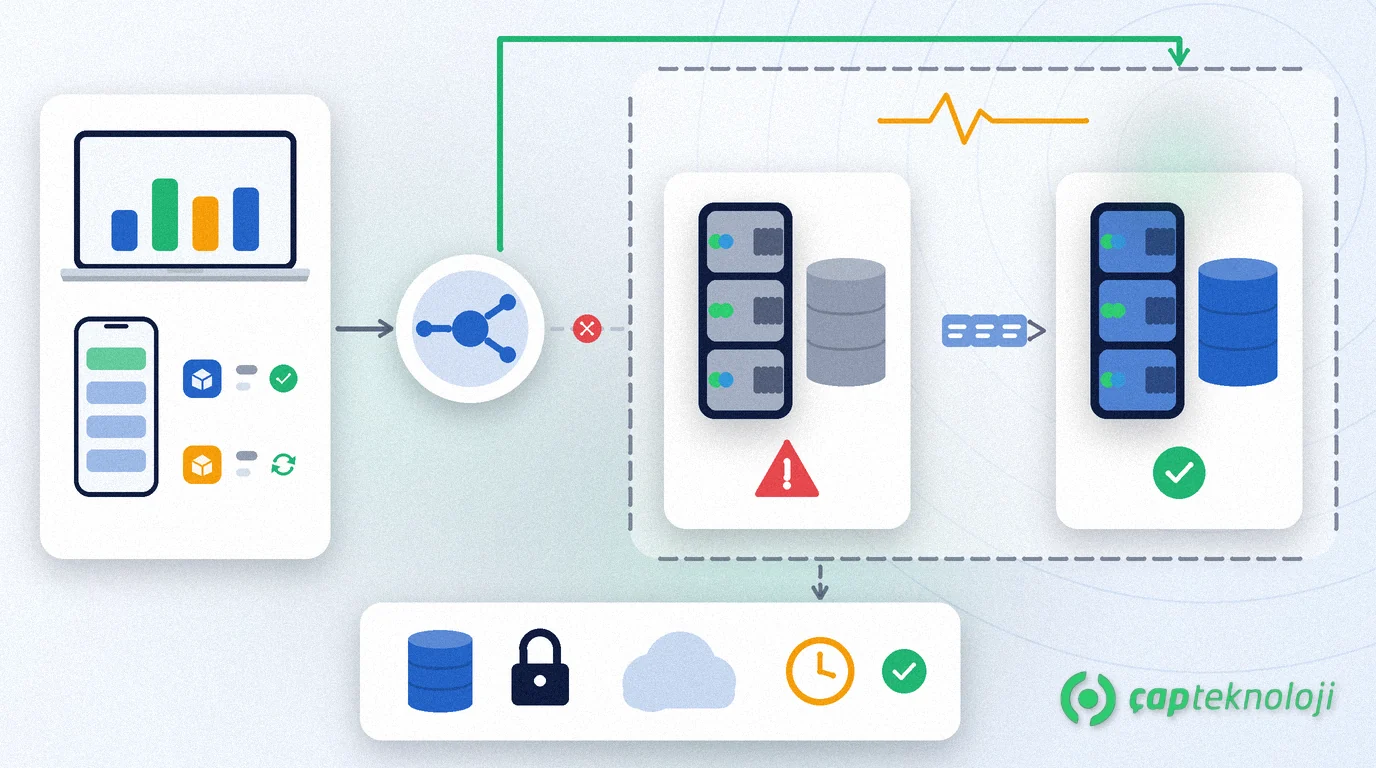
In short: SQL Server high availability keeps your ERP and other applications running when the database server fails, by handing the service over to a standby copy with only a short interruption. For SMEs, the right option depends on how much downtime and data loss you can accept and which SQL Server edition you run. On Standard edition a basic availability group protects one database; Always On availability groups on Enterprise edition protect several databases together; log shipping suits more relaxed targets.
In many SMEs the ERP, the e-invoicing integration and reporting all run on one SQL Server. When its disk, mainboard or operating system fails, order entry, shipping and invoicing stop at the same time. A backup brings the data back, but building a new server and restoring can take hours. High availability is there to shorten that wait.
What is SQL Server high availability?
SQL Server high availability (HA) is an architecture that fails the service over to a prepared second server when a database server or instance fails, so applications can keep working.
High availability is not the same as backup. HA keeps the service up during hardware or server failures, but a record deleted by mistake or data encrypted by ransomware usually reaches the second copy as well. Microsoft’s SQL Server business continuity guide states that the availability features do not replace a robust, well-tested backup and restore strategy. Your HA design should therefore sit on top of a working SQL Server backup strategy.
Answer two questions first: how much downtime, how much data loss?
Before choosing a technology, write down two targets for each database:
- RTO (Recovery Time Objective): the maximum time until the system must be running again after a failure.
- RPO (Recovery Point Objective): the maximum amount of data loss you can accept.
For the ERP database, “a few minutes of downtime, no data loss” can be a realistic requirement; for an archive database holding monthly reports, a few hours may be acceptable. Agree the targets with the business; applying the most expensive option to every database inflates the budget for no reason. The targets should also match your company-wide disaster recovery plan.
SQL Server high availability options compared
The built-in SQL Server options and protection at the virtualisation layer compare as follows. Edition details are based on Microsoft’s SQL Server 2022 editions comparison:
| Option | What it protects | Failover | Infrastructure needed | Edition | Watch out for |
|---|---|---|---|---|---|
| Basic availability group | One database | Automatic (synchronous mode) or manual | Two servers, Windows Server Failover Cluster (WSFC) or Pacemaker on Linux | Standard | Only two copies; the secondary cannot be read or used for backups |
| Always On availability group | Several databases in one group | Automatic or manual, generally within seconds | Cluster plus separate storage for each copy | Enterprise | Logins, SQL Server Agent jobs and linked servers must be synchronised separately |
| Failover cluster instance (FCI) | The whole SQL Server instance: databases, jobs, logins | Automatic; the instance restarts on the other node | Cluster and shared storage | Standard, Enterprise | Shared storage is a single point of failure; recovery generally takes longer than an AG failover |
| Log shipping | Per database | Always manual | Second server, shared backup folder, SQL Server Agent jobs | Enterprise, Standard, Web | Redirecting applications to the new server has to be planned separately |
| HA at the virtualisation layer | The virtual machine itself | The VM restarts on another physical host | Hypervisor cluster and shared storage | Independent of the SQL Server edition | Does not fix problems inside the SQL Server service or database on its own |
With availability groups, applications connect through a listener name instead of the primary server’s name; after a failover the connection goes to the new primary. Log shipping has no such layer.
Which option fits which SME?
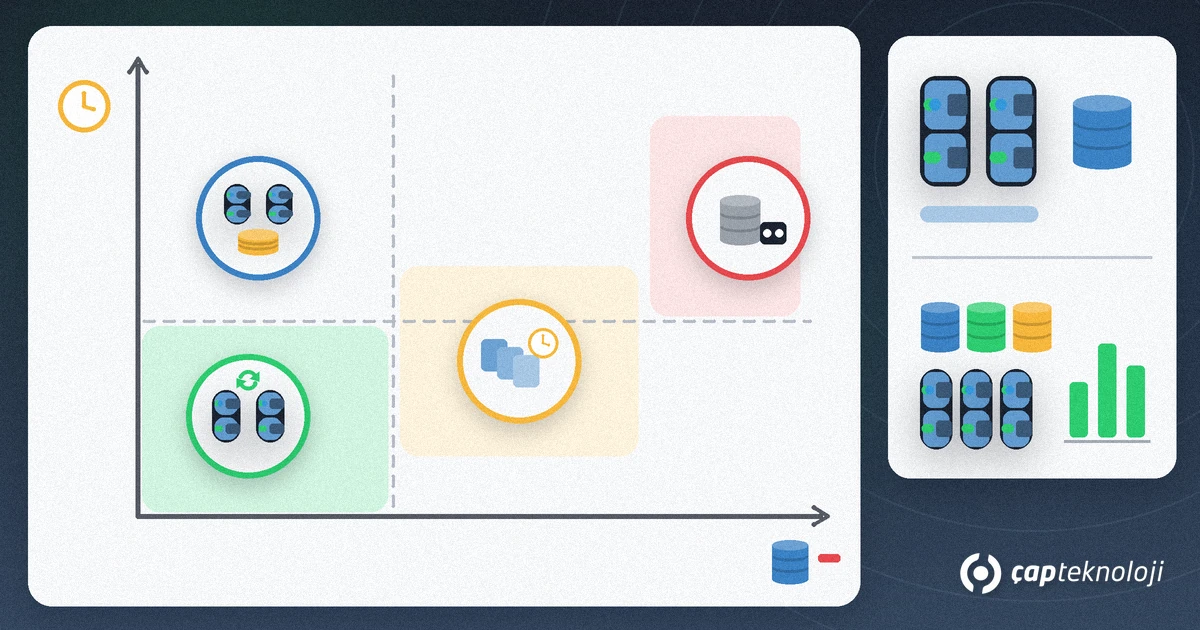
One ERP database on Standard edition: a basic availability group is often the most balanced choice. The second server only waits; it cannot serve reports, and backups are taken on the primary.
Several interdependent databases: if the ERP, integration and web-order databases work together, Standard edition needs a separate basic group for each, and each group fails over on its own. If the databases must move together in one group, consider Always On availability groups on Enterprise edition.
Moving reporting off the main server: readable secondary replicas exist only in Enterprise edition, and every server hosting a readable replica needs a licence.
Relaxed targets, limited budget: if you can accept losing the changes made since the last transaction log backup and switching over manually, log shipping is simple and robust. Because you can deliberately delay restoring the log backups, it also helps against mistakes such as an UPDATE statement without a WHERE clause.
The whole instance must be protected: in environments with many SQL Server Agent jobs and linked servers, an FCI moves these objects as well, but you need to protect the shared storage separately.
A step-by-step plan before you build
- List databases and targets: write down the RTO and RPO of each database, which applications connect to it and the maintenance windows.
- Clarify edition and licensing: check which options your current edition supports and confirm the licensing of the second server with your licensing partner. If you run an old version, start with your SQL Server upgrade plan.
- Keep the second server truly separate: if both copies sit on the same physical host or storage, one failure hits both. Versions and patch levels must match, and the network must carry synchronous replication.
- Set up the cluster and a witness: in two-node clusters a file share or cloud witness stops both servers from trying to become primary at the same time.
- Point applications to the listener: use the listener name instead of the server name in the ERP, integration services and reporting tools, and test each one.
- Synchronise server-level objects: logins, SQL Server Agent jobs and linked servers do not travel with the database. Contained availability groups in SQL Server 2022 let you manage part of these at group level.
- Rework backup jobs: confirm that backup jobs also run on the new primary after a failover and that backups go to a separate location.
- Test and document failover: perform a manual failover in a planned maintenance window, watch how the applications behave and write the steps into a short runbook.
- Set up monitoring: alert on synchronisation state, lag between copies, cluster events and disk space.
Common mistakes
- Neglecting backups once high availability is in place.
- Running both virtual servers on the same physical host or the same storage.
- Connecting applications to the server name instead of the listener.
- Forgetting to move logins and scheduled jobs to the second server.
- Going live without ever testing a failover, so the first test happens during a real outage.
An IT infrastructure audit is a good starting point to see whether your servers, storage and network are ready for these steps.
Summary and checklist
- RTO and RPO targets are written down for every database.
- Edition and licensing are confirmed; the Standard vs Enterprise difference is clear.
- The second server runs on separate physical hardware and separate storage.
- Applications connect through the listener name.
- Logins, jobs and linked servers are synchronised.
- Backups keep running after a failover, and a restore has been tested.
- A failover test is done; a runbook and monitoring are in place.
A well-built SQL Server high availability setup turns a single server failure from hours of standstill into a short interruption. ÇAP Teknoloji‘s SQL consulting team defines your database targets with you, designs an architecture that fits your edition and budget, and runs the failover tests together with your team. Get in touch.
Frequently Asked Questions
Does high availability replace backups?
No. High availability keeps the service running during hardware or server failures, but data deleted by mistake or encrypted by ransomware usually reaches the second copy too. Regular backups and restore tests are always needed.
Can you build high availability with SQL Server Standard edition?
Yes. Standard edition supports a basic availability group protecting one database across two servers, failover cluster instances and log shipping. Protecting several databases in one group and readable secondary replicas require Enterprise edition.
What is the difference between an Always On availability group and a failover cluster?
An availability group replicates databases to copies on separate storage, and applications connect through a listener name. A failover cluster instance restarts the whole SQL Server instance on another node using shared storage, which remains a single point of failure.
How long does a failover take?
According to Microsoft, availability group failovers are generally measured in seconds; failover cluster instances usually take longer because the instance restarts and runs recovery. Log shipping requires a manual switch. Measure the real time by testing in your own environment.
