


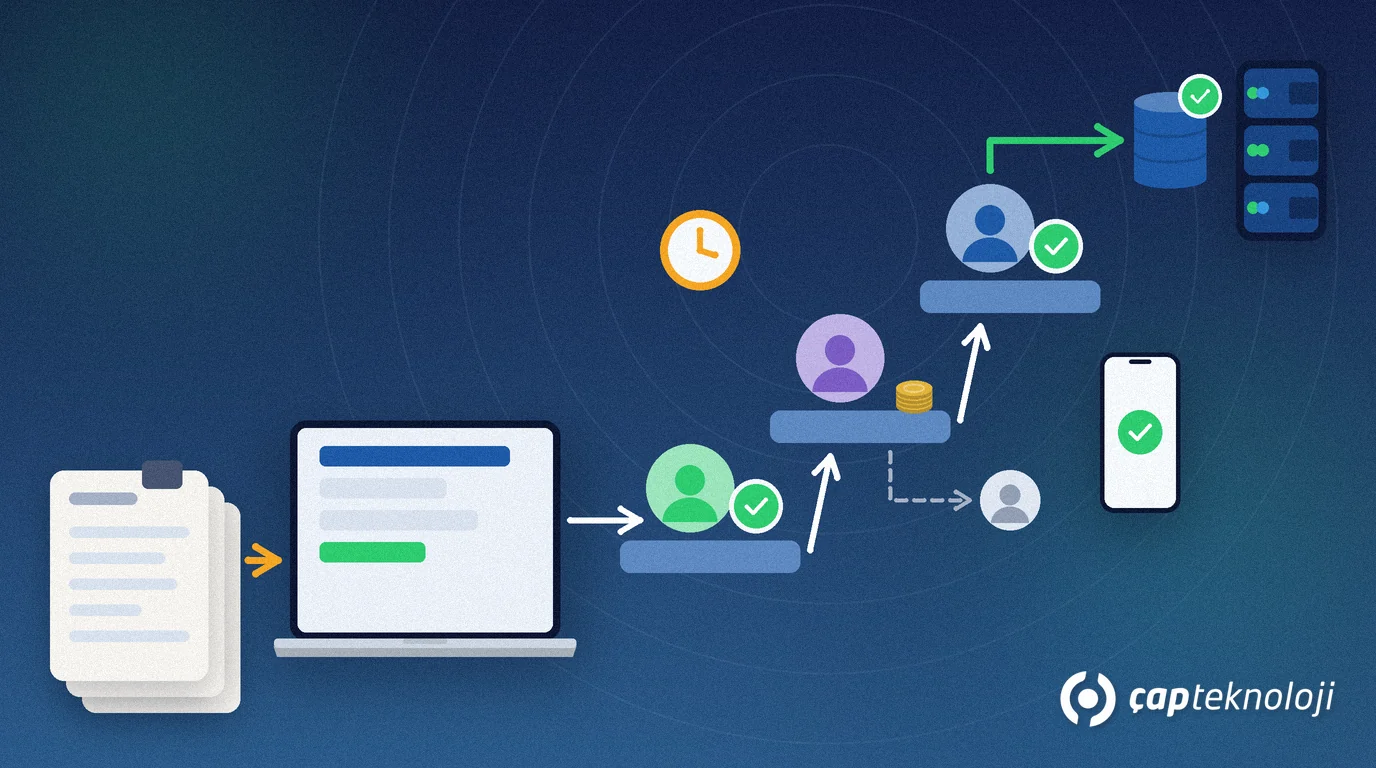
In short: Logo Edge Flow approval workflows move approvals and requests that run on paper, email or phone into electronic flows in which every step is tracked. To start, pick one frequent process with clear rules, such as purchase requests. Write the process down first, tie approvals to roles rather than people, then test it with a small pilot group.
As a Logo partner, the question we hear most often in projects is: “Which process should we start with?” Businesses that try to move every approval at once usually get stuck in the design phase. This guide is for managers, IT leads and process owners who run Logo ERP and want to bring order to their approvals. Logo is a Turkish ERP vendor, and Logo Edge Flow is its workflow management product.
Contents
- What is Logo Edge Flow?
- Which approval process should come first?
- Write the process down before you design the flow
- Set the approval rules
- How does an approved request reach the ERP?
- Start with a pilot: rollout step by step
- Measure and improve the flow
- Common mistakes
- Getting started checklist
- Summary
What is Logo Edge Flow?
Logo Edge Flow is the workflow and process management product of Logo Software. According to Logo’s product page, workflows and forms are built with drag and drop, without coding. Tasks are assigned automatically to designated people, teams or departments. Organisational groups, hierarchy, delegation of authority and proxy assignments can be defined. A management dashboard with timeout control shows waiting tasks, and custom reports and KPI tracking are included.
According to Logo’s price list notes, Logo Edge Flow works integrated with Logo ERP products but is licensed separately, and its user count is independent of the ERP’s user count. So not everyone in the flow needs to be an ERP user. Clarify the licence scope with your partner through a quote based on user numbers and modules. The same notes list an iOS and Android mobile app as well as e-signature and document management integrations.
Which approval process should come first?
The first process should show the team a quick win and be simple to design. A good candidate has four traits: it repeats often, needs approval from more than one person, has rules you can write down, and today people keep asking “who is the request waiting with?”
| Process | Typical approval chain | Fit as a first process |
|---|---|---|
| Purchase request | Requester, department manager, finance or general manager depending on the amount | Very good: frequent, rule-based and linked to the purchase order in the ERP |
| Leave request | Employee, manager, HR informed | Good: simple and used by everyone |
| Expense and advance request | Employee, manager, accounting | Good: needs attachments and an accounting entry |
| Discount or price approval | Sales rep, sales manager | Medium: discount rules must be clear first |
| Contract approval | Legal, finance, management | Second phase: many documents and exceptions |
In our projects we usually recommend purchase requests or leave requests as the first process. Both get everyone using the flow quickly. If requests arrive today in scattered emails, the approach in our AI email triage article can help with routing each request to the right person.
Write the process down before you design the flow
Ambiguity on paper moves straight into the electronic flow. Before you open the drag-and-drop designer, answer these questions in writing together with the process owner:
- Who starts the request, and which form fields must be mandatory?
- Who approves up to which amount or under which condition?
- Do approvals run in sequence or in parallel?
- Where does a rejected request go, and can it be corrected and resubmitted?
- Who stands in when an approver is away?
- How long may an approval wait, and what happens when the time runs out?
- Which ERP record does an approved request become, and who creates it?
Keep the form short. Every field that is not needed for the decision pushes users back to email and phone.
Set the approval rules
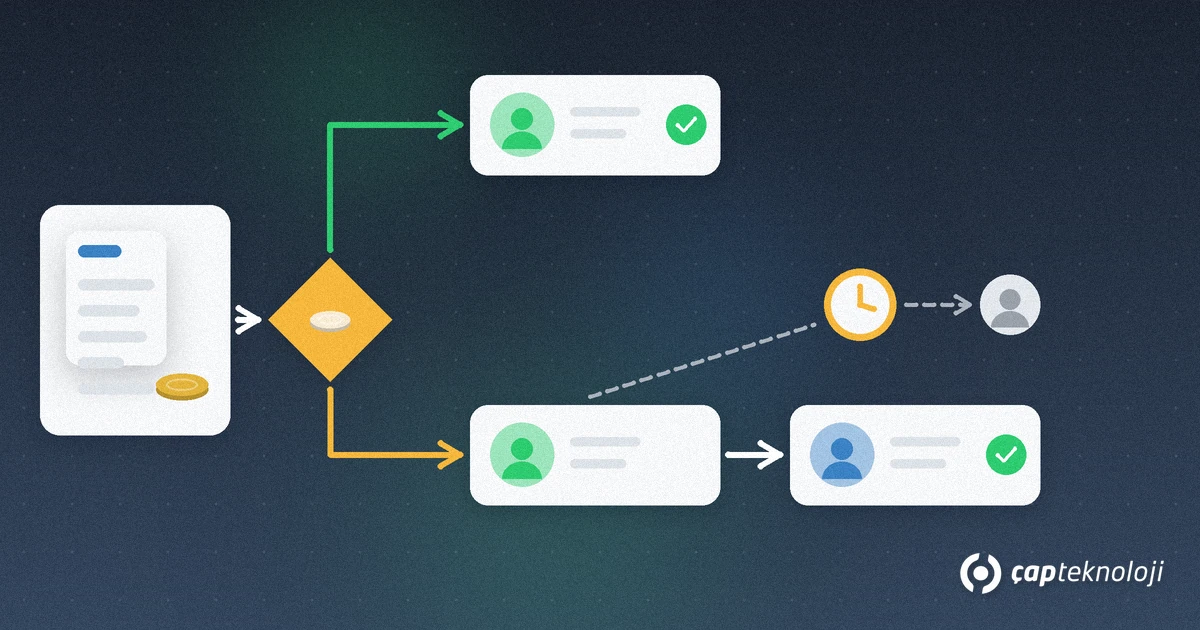
Whether the flow holds up depends largely on how the rules are defined. Pay attention to four points:
- Roles, not people: Tie an approval step to the role “purchasing manager” instead of a named person. When staff change, you update who holds the role instead of redesigning the flow.
- Amount and condition thresholds: Put into a written authority matrix from which amount finance or the general manager must approve. The thresholds are your business decision; the flow only applies them.
- Proxies and delegation: A manager on leave should not block the flow. Define proxies before going live.
- Timeouts: Set a time limit for waiting approvals and decide what happens when it expires. Does a reminder go out, or does the task escalate to the next role?
How does an approved request reach the ERP?
Re-entering an approved purchase request into the ERP by hand wastes time and creates gaps between what was approved and what was recorded. Logo states that Edge Flow works integrated with Logo ERP products. Which document types and fields are passed to the ERP depends on your installation and ERP version, so settle this with your partner during design.
We explain the general logic of integration in What is ERP integration? If you are planning an ERP version migration, schedule the workflow project alongside it; our guide to the Tiger 3 to Logo Edge T-Series migration covers the steps.
Start with a pilot: rollout step by step
- Appoint a process owner. One person is responsible for the flow’s rules.
- Get the authority matrix approved. Roles, thresholds, proxies and time limits are signed off by management.
- Build the form and flow in a test environment. Try approval, rejection and proxy scenarios with real sample requests.
- Choose a small pilot group. Work with one department or branch for a few weeks.
- Collect feedback. Fix missing form fields and problems in the approval order.
- Turn on mobile approval. Managers in the field or travelling can approve without returning to their desk.
- Close the paper route and roll out. Once the flow is live, do not accept the same request on paper or by email; then move on to the next process.
Measure and improve the flow
The real gain of a workflow is that bottlenecks become visible for the first time. After go-live, use the workflow reports to track regularly: at which step do requests wait longest, which approver often hits the timeout, and why are rejected requests sent back most often? Use these findings to adjust thresholds, roles and the form.
If you want to report workflow data together with ERP data, our article on which ERP KPIs to track discusses meaningful measures. For dashboards, see our BI consulting page.
Common mistakes
- Moving every process at once: design drags on and users tire from day one.
- Copying the paper chaos one to one: unnecessary approval steps cause delays electronically too.
- Tying approvals to people: the flow breaks at the first staff change.
- No proxies or time limits: requests wait silently.
- Not connecting the end of the flow to the ERP: the same data is entered twice.
- Leaving a parallel paper route open: users drift back to old habits.
Getting started checklist
- Is the first process chosen and the process owner named?
- Are starter, approvers, order, rejection and resubmission written down?
- Are approvals tied to roles and the authority matrix approved by management?
- Are proxies and timeout rules ready?
- Is it clear which ERP record an approved request becomes?
- Was the flow tested with approval, rejection and proxy scenarios?
- Are the pilot group, duration and feedback channel set?
- Has the decision been made to close the paper route at go-live?
Summary
Getting started with Logo Edge Flow approval workflows means taking a small, clear first step: pick one frequent process, write down its rules, tie approvals to roles, define proxies and time limits, connect the end of the flow to the ERP and test it in a pilot. Once the first flow is running, each new process gets added faster.
As a Logo partner, ÇAP Teknoloji helps you choose your first approval process, define its rules and roll it out together with Logo ERP. Learn more on our ERP consulting page or get in touch with us.
Frequently Asked Questions
What is Logo Edge Flow?
Logo Edge Flow is the workflow management product of Logo Software. It moves approvals and requests that run on paper, email or phone into electronic flows designed with drag and drop, assigns tasks to people, teams or departments and tracks waiting work with timeout control.
Which process should we start with in Logo Edge Flow?
Start with a process that repeats often, needs more than one approval and has rules you can write down. In our projects we usually recommend purchase requests or leave requests.
Does everyone in the flow need to be a Logo ERP user?
According to Logo’s price list notes, Logo Edge Flow is licensed separately and its user count is independent of the ERP’s user count. Clarify the licence scope with your partner through a quote based on users and modules.
Does the flow stop when an approver is on leave?
Not if proxies and delegation are defined. Logo Edge Flow supports proxy assignments; set them up before going live and define a time limit for waiting approvals.
How much does Logo Edge Flow cost?
Pricing depends on the number of users and modules. Ask your Logo partner for a quote with current terms.