


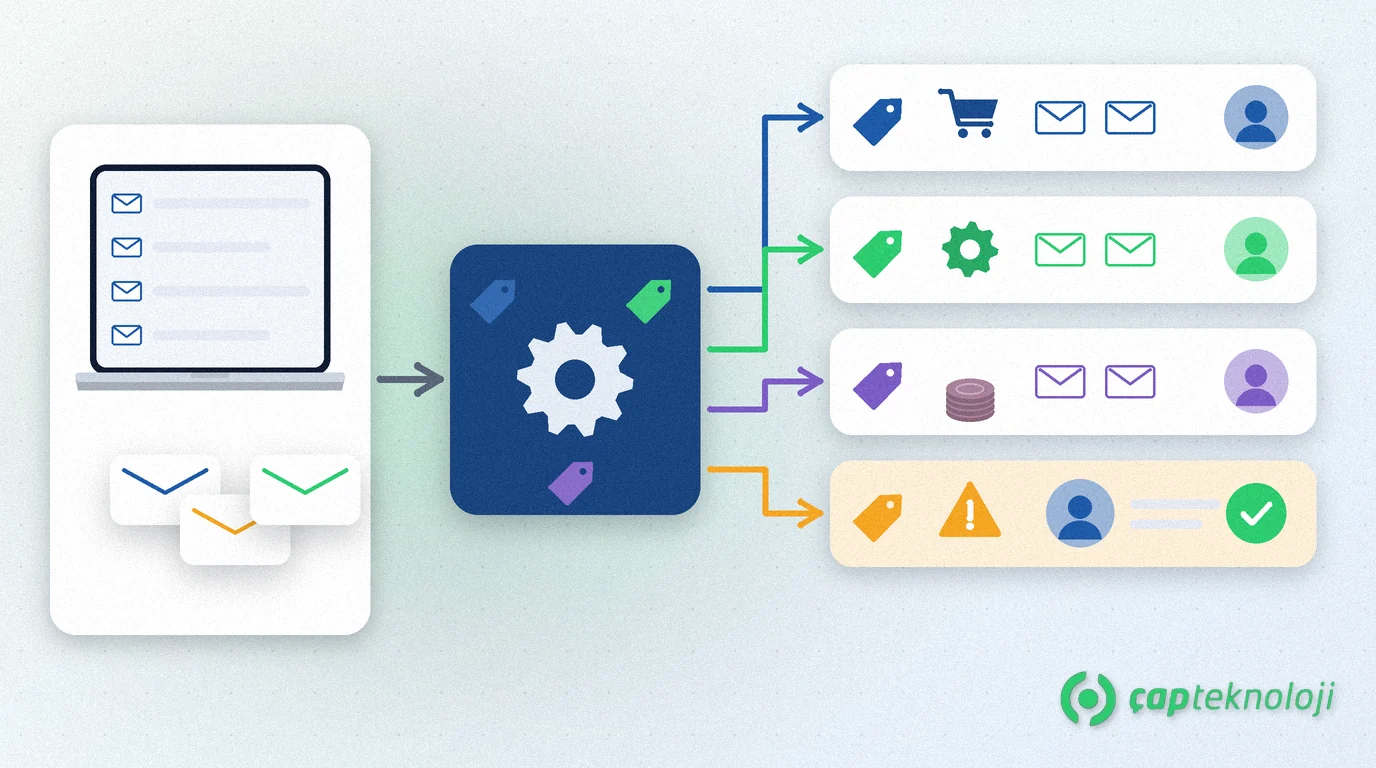
In short: AI email triage reads the messages that land in shared inboxes such as info@, sales@ or accounts@, recognises their topic and urgency, and routes each one to the right team’s work queue. In a well-designed setup the AI does not decide, it suggests: messages it is unsure about and risky requests such as payments or bank detail changes always go to a person.
In many small and mid-sized companies the shared inbox is a place several people glance at during the day but nobody really owns. Quote requests reach sales late, fault reports sit before the technical team sees them, and some messages never get an answer because everyone assumes someone else has handled them. This guide explains what AI-assisted triage is, when it pays off and how to set it up step by step while keeping data protection and security risks under control.
Contents
- What is AI email triage?
- How it differs from rule-based filters
- Which emails it suits
- Setting it up in 6 steps
- Data protection, security and human review
- Summary and checklist
What is AI email triage?
Email triage means assigning each incoming message one of a set of predefined categories (for example “quote request”, “fault report”, “payment question”) plus a priority, and forwarding it to whoever owns that category. In the AI-assisted version, a language model that can interpret the meaning of the text proposes that label. We explain how language models work with company data in What are LLM and RAG?
The output is a small decision that changes where the message goes, not what it says: which queue, which priority and, where useful, a few extracted fields such as an order number or customer code.
How does it differ from rule-based filters?
| Aspect | Rule-based filter | AI email triage |
|---|---|---|
| How it decides | Keyword, sender or subject-line rules | By interpreting the meaning of the whole message |
| Handling different wording | Weak; a “price quote” rule misses “could you send us your rates?” | Stronger; it can recognise the same intent in different words |
| Explainability | High; you can see which rule fired | Lower; log the reasoning and a confidence score |
| Maintenance | A new rule for every new case | Update category definitions and examples |
| Best fit | Clear, stable cases (invoices from one supplier) | Free-text, varied customer requests |
In practice the two work together: firm rules run first and the remaining messages go to the AI. For repetitive clicking across screens, robotic process automation (RPA) may be the better tool.
Which emails is it suited to?
- Sales requests: quotes, prices and stock questions go to the sales queue.
- Support and fault reports: to the technical team, with product or device details extracted where possible.
- Accounting questions: statements, balances and payment queries go to finance.
- Supplier correspondence and documents: to purchasing.
- Applications, promotions and spam: to the right person or a separate folder.
For an inbox that one person reads and that receives a handful of messages a day, this automation may not be worth it. The value grows with message volume and the variety of categories.
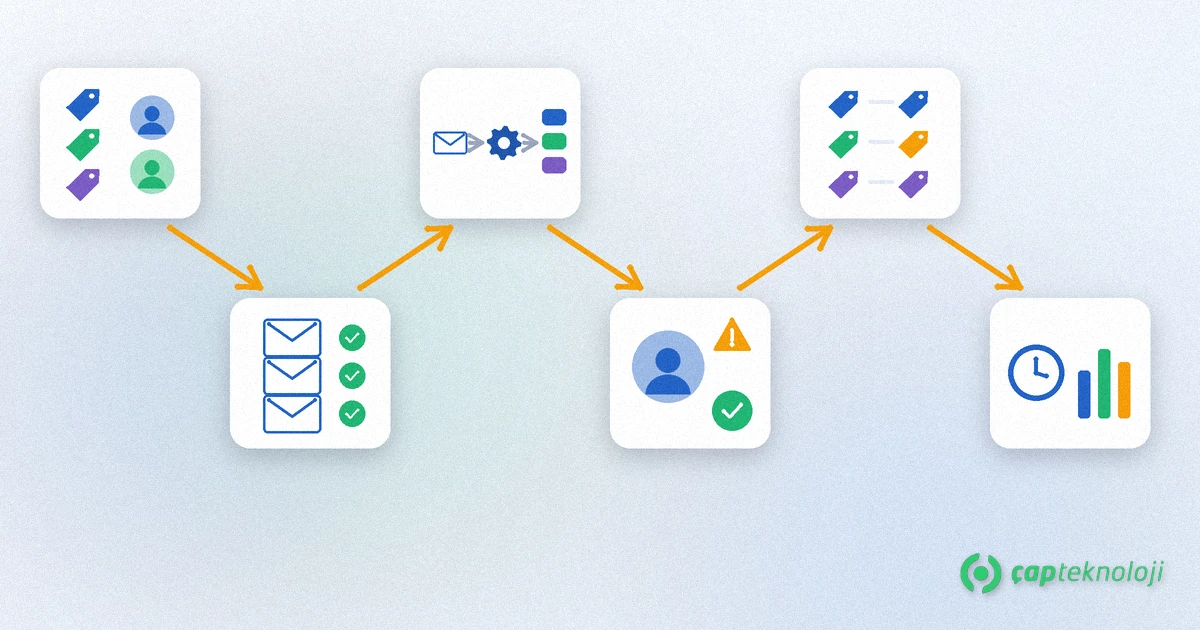
How to set up AI email triage in 6 steps
1. Define categories and owners
Define five to ten categories that do not overlap and give each one an owner. Always include an “other / not sure” category that a person works through.
2. Prepare a sample set
Pick real examples for each category from past emails and have an employee label them by hand. Mask personal data that is not needed; the set is used both to guide the model and to measure accuracy later.
3. Design the flow
A message arrives, firm rules are applied, the rest is classified and lands in the right queue as a support ticket or CRM record together with its category, priority and confidence score. If you need to connect ERP or CRM systems, our ERP integration guide summarises the main options.
4. Decide where people approve
Messages below your confidence threshold, complaints, legal correspondence and anything containing payment details are not routed automatically; they wait for a person to confirm.
5. Run in shadow mode first
For the first weeks, let the system only make suggestions while the team keeps routing as before. Compare the suggestions with the team’s decisions, see which categories get confused and sharpen the definitions.
6. Measure and improve
Record your own baseline before you start: time to first response, messages sent to the wrong person, messages left unanswered. Repeat the same measurements after go-live and review the “other” queue regularly.
Data protection, security and human review: what to watch
Emails contain personal data such as names, phone numbers, addresses and sometimes health or financial details. Turkish companies also have to follow the KVKK data protection law, and EU companies the GDPR. A useful structure for the risks is the NIST AI Risk Management Framework, a voluntary framework for building trustworthiness into the design, use and evaluation of AI systems, organised around four functions: govern, map, measure and manage. In practice:
- Data minimisation: if classification does not need the whole message, do not send attachments or signature blocks to the model.
- Where data is processed: check where the model provider processes data, whether it is stored, and the data processing terms of the contract.
- Instructions hidden in messages: text inside an email can try to mislead the model. Limit the output to a category and a priority, and never let it trigger an action such as a payment or a reply on its own.
- Fraud: bank detail changes and urgent payment requests must always go to a person; we cover this attack in business email compromise (BEC).
- Logging: keep the category, confidence score and the person who made the final decision for every suggestion.
Summary and checklist
- Are the categories clear, and does each have an owner?
- Do you have a hand-labelled sample set and baseline measurements?
- Is human approval defined for low-confidence and risky messages?
- Have the shadow-mode results been reviewed?
- Have data flows, retention and contracts been checked against KVKK or GDPR?
AI email triage is a small, measurable first project that moves requests from shared inboxes to the right person without delay. At ÇAP Teknoloji we can set up this flow with you, from category design to the data protection review and the ERP/CRM connection, as part of our AI workflow automation service; get in touch.
Frequently Asked Questions
Can the AI answer emails by itself?
Technically it can draft replies, but in a triage project the recommended approach is that the model only suggests a category and priority while the team sends the answer. If you want automatic replies, limit them to low-risk standard topics and review them regularly.
Is it compliant to send emails with personal data to an AI service?
That depends on the purpose, the legal basis and where the data is processed. Follow data minimisation, check where the provider processes data and what the contract says, and involve your legal adviser where needed (KVKK in Turkey, GDPR in the EU).
What happens if the model picks the wrong category?
That is why you use a confidence threshold, a ‘not sure’ queue and shadow mode. Misrouted messages are logged and used to correct category definitions and examples. Risky topics always go through human approval anyway.
Do we need to buy new software?
Not always. You may be able to start with the automation features of your existing email, helpdesk or CRM system and your current integration tools. The right choice depends on message volume, where data may be processed and which systems need to be connected.