


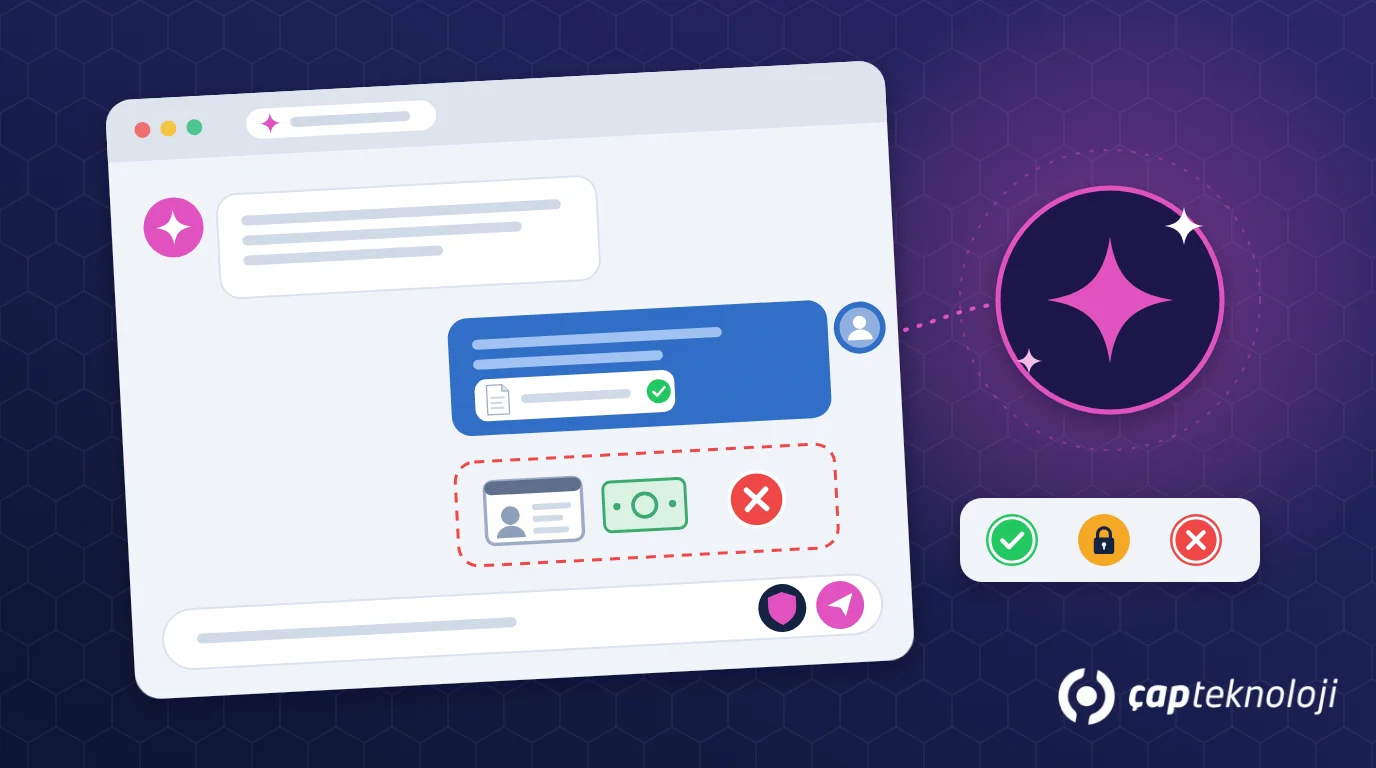
In short: An AI acceptable use policy is a short company rule that sets out which tools such as ChatGPT, Copilot or Gemini employees may use, for which tasks, with which data and with which accounts. For SMEs the aim is not to ban AI, but to let staff benefit from it safely while customer and company data stays protected.
A sales rep has AI draft a quotation email, accounting pastes an Excel sheet into a chat window and asks for a summary, HR uploads a candidate’s CV for an assessment. In most companies this happens without management knowing, on personal accounts and free plans. The problem is not the tool itself; it is that nobody knows which data goes where, or who checks the output. This article explains what an AI acceptable use policy is, which risks it closes and how an SME can write one step by step.
Contents
- What is an AI acceptable use policy?
- Which data may go into AI tools?
- How to write an AI use policy in 6 steps
- Data protection, confidentiality and other risks
- Summary and checklist
- Frequently Asked Questions
What is an AI acceptable use policy?
An AI acceptable use policy documents which generative AI tools are approved in the company, what information may be entered into them, how outputs are checked and what happens if the rules are broken. It can be part of your information security policy or a separate page. For a small or mid-sized business, two to four pages in plain language are usually enough.
A good policy typically answers these questions:
- Which tools? The tools and editions the company has approved (for example a business-licensed assistant) and those that should not be used.
- Which accounts? Personal or company accounts for work, and how sign-in and multi-factor authentication are handled.
- Which data? The types of information that may, and must never, be entered.
- Which tasks? Suitable uses such as drafting, summarising, translation or coding help, and tasks that require human approval.
- Who is responsible? Who reviews requests for new tools, who answers questions and how incidents are reported.
Note that a policy is different from an AI project. Business solutions that use ERP data with technologies such as LLMs and RAG are built in controlled environments. The policy governs everyday individual use by employees; the two complement each other.
Which data may go into AI tools?
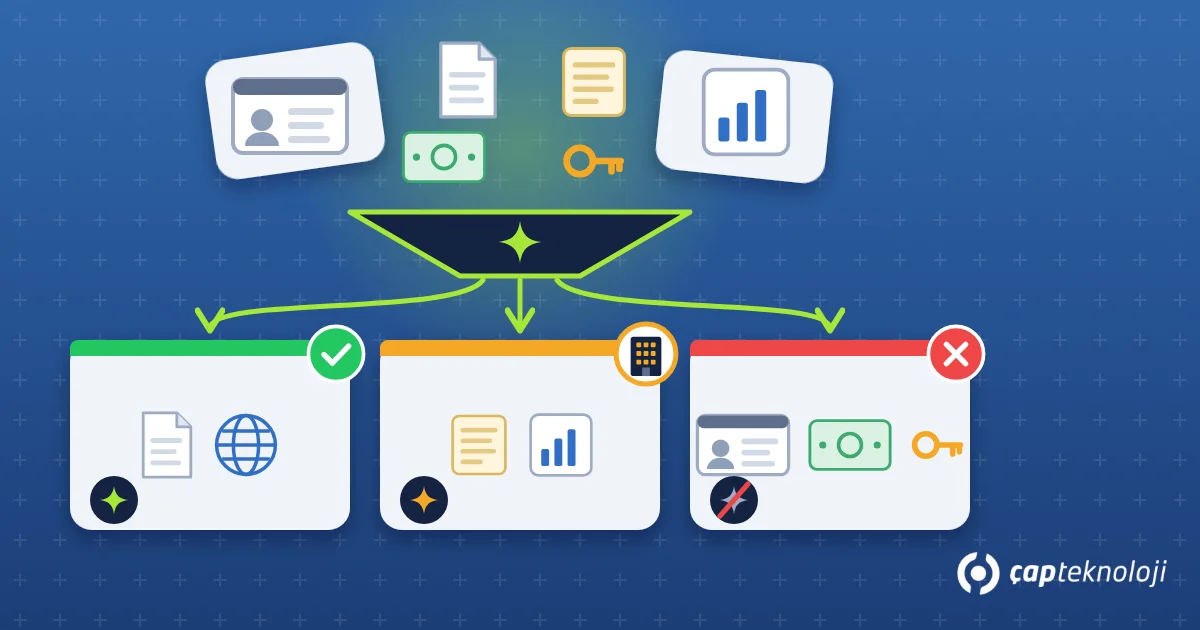
Data classification is the heart of the policy. Instead of employees wondering every time “can I paste this?”, a simple three-colour scheme that is easy to remember works well:
| Class | Example data | Rule |
|---|---|---|
| Green – Public | Product information from your website, general industry questions, drafts without personal data | May be used freely in approved tools |
| Amber – Internal | Internal procedures, meeting notes, anonymised sales figures | Only with a company account in an approved business tool that does not use inputs for model training |
| Red – Confidential | Personal data of customers and staff, salaries and payroll, health information, contracts, passwords, source code and API keys, raw customer lists exported from the ERP | Never entered into general AI tools; if needed, processed with a separately approved solution under company control |
A point that is often missed: data can be sensitive in combination. A customer’s name alone looks harmless; name, outstanding balance and phone number together belong in the red class. That is why it helps to state clearly in the policy: “If in doubt, treat it as red.”
How to write an AI use policy in 6 steps
1. Find out how AI is used today
Before writing anything, learn who uses which tool for which task. A short survey or a few conversations with team leads are enough. The goal is not to find culprits but to understand real needs, which also tells you which business tool you should approve.
2. Define approved tools and accounts
List the tools allowed for work and prefer business editions where possible. They usually offer an admin console, user management and contractual terms stating that inputs are not used for model training; still, verify these terms in the provider’s current documentation. Require accounts to be created with company email addresses and protected with multi-factor authentication, so you can also remove access when someone leaves.
3. Write down data classes and prohibitions
Adapt the three-colour scheme to your business and add concrete examples for each class. Instead of a vague “do not enter personal data”, name the documents staff see every day: customer lists, payroll files, customer correspondence, price lists attached to quotations.
4. Give examples of acceptable and unacceptable use
Rules are understood through examples. Acceptable: drafting an announcement without personal data, asking about a generic Excel formula, having a technical term explained. Unacceptable: pasting a customer complaint including name and address, leaving a hiring decision to an AI score, sending a contract clause to a customer without checking it.
5. Define human review and accountability
AI output reads fluently but can be wrong, incomplete or made up. State this principle clearly: whoever uses the output is responsible for its accuracy. Texts sent to customers, prices and quotations, legal or financial interpretations and decisions about people must always be reviewed by a person.
6. Announce, train and review regularly
Emailing the policy is not enough. Walk through the examples in a short training session, record that employees have read it (signature or confirmation box) and name a contact person for questions. Because tools and terms change quickly, review the policy at least once a year and immediately whenever a new tool is introduced.
Data protection, confidentiality and other risks
Entering personal data into AI tools is a form of data processing, and with most tools the data is sent to servers abroad. In Türkiye this falls under KVKK, the Turkish Personal Data Protection Law; in the EU the GDPR raises similar questions about transparency, legal basis and international transfers. As rules and their interpretation evolve, it is wise to review any use involving personal data with your legal adviser first. The main purpose of the policy is to stop such data from entering tools uncontrolled in the first place.
Beyond data protection, the main risks are:
- Trade secret leaks: Quotations, costs, supplier details and formulas are your competitive edge; they belong in the red class even if they contain no personal data.
- Incorrect output: A wrong legal interpretation or calculation used without review can cause direct financial damage.
- Copyright and terms of use: Usage rights for generated text and images differ between tools; check them for marketing content.
- Fake tools and extensions: Browser extensions and apps promoted as “free AI” can collect data or carry malware. A rule against installing extensions that are not on the approved list reduces this risk.
Summary and checklist
An AI acceptable use policy is not a list of bans that slows people down; it is a shared language that lets them use these tools safely. Use this list to get started:
- Have you mapped the tools in use today and the business needs behind them?
- Are approved tools and company accounts defined, and is MFA mandatory?
- Are the green, amber and red data classes written down with concrete examples?
- Does the policy include examples of acceptable and unacceptable use?
- Is human review required for output that goes to customers?
- Have employees been trained, confirmed they read it, and do they know whom to ask?
- Is the next review date in the calendar?
Once the policy is in place, the next step is to automate repetitive work in a controlled environment, for example AI-based processing of invoices and delivery notes into the ERP. With its AI Workflow Automation service, ÇAP Teknoloji helps tailor usage rules to your business and build automations in which data stays under company control.
Frequently Asked Questions
Isn’t it safer to ban AI tools completely?
On paper, perhaps. In practice employees often keep using them on personal phones and accounts, which means losing control entirely. Offering an approved tool with clear rules is usually the safer option.
What is the difference between free and business editions?
It depends on the tool, but business editions usually offer central user management, access logs and contractual commitments that inputs are not used for model training. Read the provider’s current data processing terms before buying.
How long should the policy be?
For SMEs, two to four pages are usually enough. A memorable three-colour data scheme and concrete examples matter more than length.
What if an employee accidentally enters confidential data?
They should report it immediately to the designated person. If possible, the chat or record is deleted, the shared data is noted and, where personal data is involved, any notification duty is assessed with your legal adviser. Encouraging reports instead of punishing them keeps incidents from being hidden.