



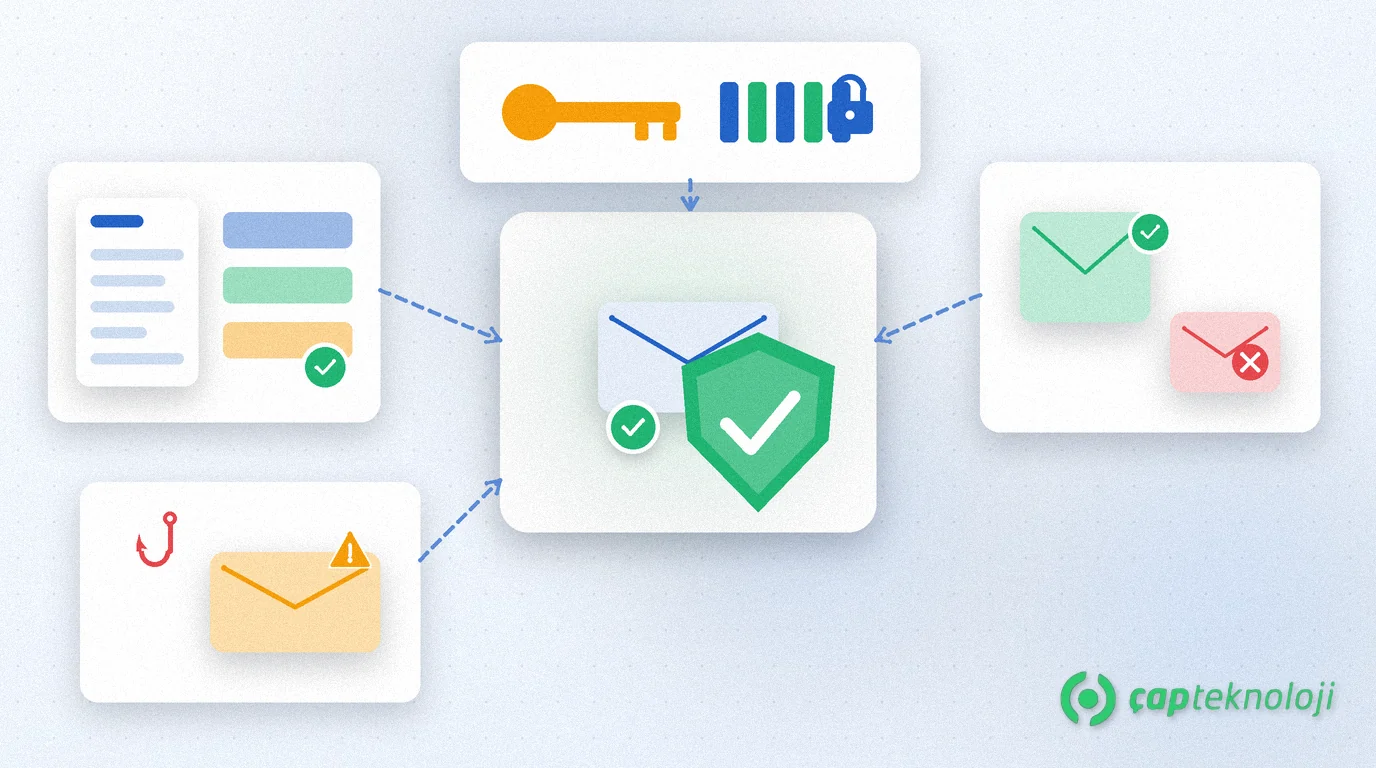
In short: SPF DKIM DMARC are three DNS-based standards that prove outbound mail from your domain really left your authorised systems. SMEs publish the right DNS records and tighten the DMARC policy in stages so forged invoices and brand-spoofed messages are stopped before they reach customers or suppliers.
When a customer or supplier gets a message that looks like yours asking for a new IBAN or an urgent payment, most people check the display name first. That name is trivial to fake. Without SPF, DKIM and DMARC the receiving server cannot verify that the message actually came from your domain. That gap is exactly what business email compromise (BEC) and look-alike phishing rely on.
This guide explains what SPF, DKIM and DMARC do, how they differ and how an SME can roll them out step by step.
Why does email spoofing hit SMEs so hard?
Email spoofing means an attacker puts your domain in the From line while the message leaves their own server. Finance, purchasing and field teams run daily work over email, so a fake “manager” or “supplier” request can look like a normal business message. Staff awareness helps, but training alone is not enough. SPF DKIM DMARC records that protect your domain let receiving servers reject or quarantine forged mail before it lands in a customer’s inbox.
Microsoft’s guide to email authentication in Microsoft 365 describes how SPF, DKIM and DMARC work together to validate the sender and make it harder for others to abuse your domain. The trio does not replace a phishing simulation and awareness programme; it complements it.
What are SPF, DKIM and DMARC?
SPF (Sender Policy Framework) is the protocol that lists, in a DNS TXT record, which servers may send mail for your domain. The receiver checks whether the connecting IP is on that list.
DKIM (DomainKeys Identified Mail) adds a cryptographic signature to the outbound message; the receiver verifies it with the public key in DNS. That shows critical headers and the body were not altered in transit.
DMARC (Domain-based Message Authentication, Reporting and Conformance) tells receivers what to do when SPF or DKIM fail (monitor, quarantine or reject) and where to send reports. DMARC also requires the visible From domain to align with the SPF or DKIM domain.
| Standard | What it checks | Where it lives | Practical result for SMEs |
|---|---|---|---|
| SPF | Authorised sending IPs / includes | DNS TXT at the domain root | Mail from unlisted servers fails SPF |
| DKIM | Message signature and integrity | DNS TXT (selector) | Tampered signed mail fails verification |
| DMARC | Policy + alignment + reporting | DNS TXT (_dmarc) | Failed mail can be monitored, quarantined or rejected |
A step-by-step SPF DKIM DMARC rollout
1. Inventory every sender
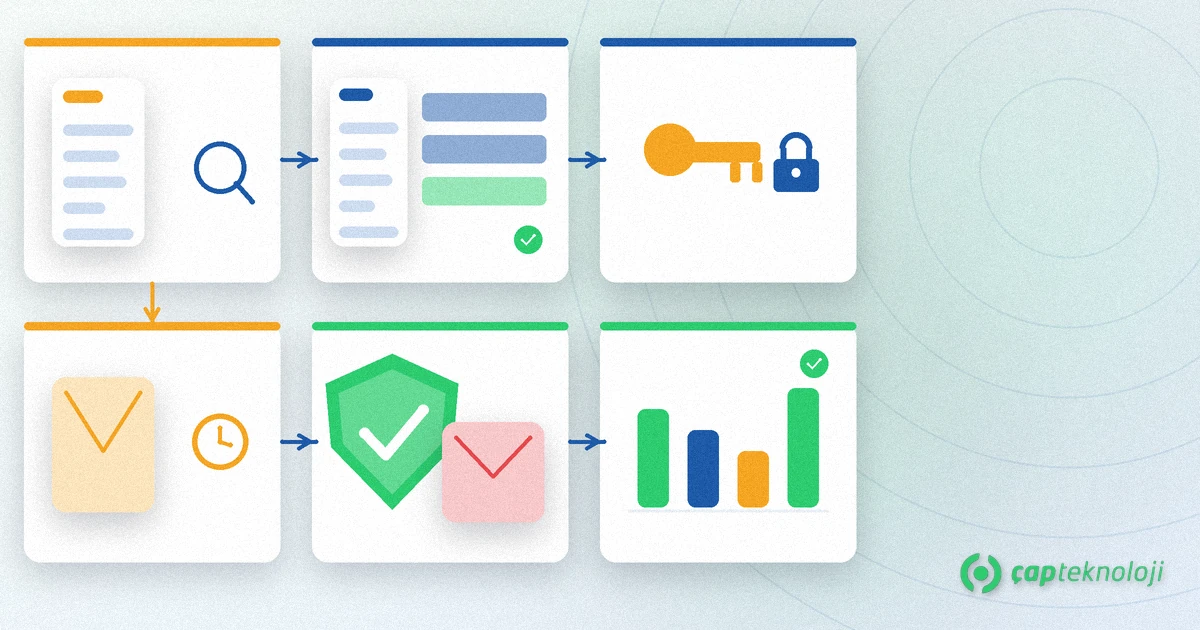
List every system that sends mail outside your main Exchange or Microsoft 365 tenant: accounting / e-invoicing, CRM, newsletter tools, helpdesk, website forms, ERP notifications. A forgotten sender that is missing from SPF will make your legitimate mail fail. If the picture is incomplete, start with a server and network readiness checklist to map the estate.
2. Publish a single SPF record
Keep exactly one SPF TXT record; multiple SPF records are a common mistake and make the result undefined. Include only the include: mechanisms and IPs you really use, and end with ~all or later -all. Stay under the 10 DNS lookup limit; unused includes both burn the budget and make maintenance harder.
3. Turn on DKIM signing
Enable DKIM in Microsoft 365, Google Workspace or your mail gateway and add the generated CNAME or TXT records to DNS. Use a separate selector per sending platform. An SPF-only setup stays fragile when the connecting IP changes in transit (forwards, mailing lists).
4. Start DMARC in monitoring mode
Publish _dmarc.yourdomain.com with p=none and an rua= reporting address. For the first weeks, read the aggregate reports to see which sources pass and which fail. Mail flow does not change yet; you only gain visibility.
5. Tighten the policy in stages
Once every legitimate sender aligns with SPF or DKIM, move toward p=quarantine and then p=reject. Raising pct= gradually avoids a sudden cut-off. The goal is that spoofed messages using your domain never reach a customer inbox.
6. Keep reading reports and pair with MFA
An unexpected source in DMARC reports is either a system missing from the inventory or someone trying to spoof you. Also require multi-factor authentication (MFA) on admin and finance accounts: SPF DKIM DMARC stops spoofing; MFA makes stolen real accounts much harder to use.
Common mistakes
- More than one SPF record: Never publish two SPF TXT records side by side; merge them into one.
- Forgotten senders: If e-invoicing or a newsletter tool is outside SPF, your own mail starts landing in spam.
- Jumping straight to p=reject: Without monitoring and a complete inventory, reject cuts off your own invoices and order mail.
- SPF alone: Without DKIM and DMARC there is no alignment policy; protection stays incomplete.
- Ignoring reports:
p=noneby itself is not security; if nobody reads the reports, the next step never happens.
SPF DKIM DMARC checklist
- Have you listed every outbound system (M365, e-invoice, CRM, newsletter, web form)?
- Is there exactly one SPF record, and did you check the lookup limit?
- Is DKIM on for each platform, with the right DNS selectors?
- Have you watched DMARC
p=none+ruafor at least two weeks? - Are fail rates acceptable before moving to quarantine or reject?
- Is MFA mandatory for admin and finance accounts?
When SPF DKIM DMARC are rolled out in the right order, spoofed mail that uses your domain is blocked technically; staff training and access controls remain part of the same defence line. ÇAP Teknoloji helps you plan email authentication from the sender inventory and DNS records through DMARC report analysis and policy tightening as part of your cybersecurity work. See our cybersecurity consulting service or contact us to review your current DNS and mail setup together.
Frequently Asked Questions
Is SPF enough on its own?
No. SPF lists authorised sending IPs, but when the connecting IP changes in transit or From alignment is not enforced, protection stays incomplete. Without DKIM signatures and a DMARC policy your domain is not fully covered.
What does DMARC p=none mean?
p=none is monitoring mode: receivers report SPF/DKIM results to you but do not reject or quarantine mail because of the policy. Stay there until your inventory is complete and legitimate senders align, then move to quarantine or reject.
Is publishing more than one SPF record a problem?
Yes. Multiple SPF TXT records in DNS are a common mistake and make the authentication result undefined. Merge every include and IP into a single SPF record.
Does SPF DKIM DMARC fully stop BEC?
It technically blocks or weakens spoofed From lines that abuse your domain. If a real employee account is compromised, you still need MFA, access control and awareness — so plan email authentication together with MFA.
