



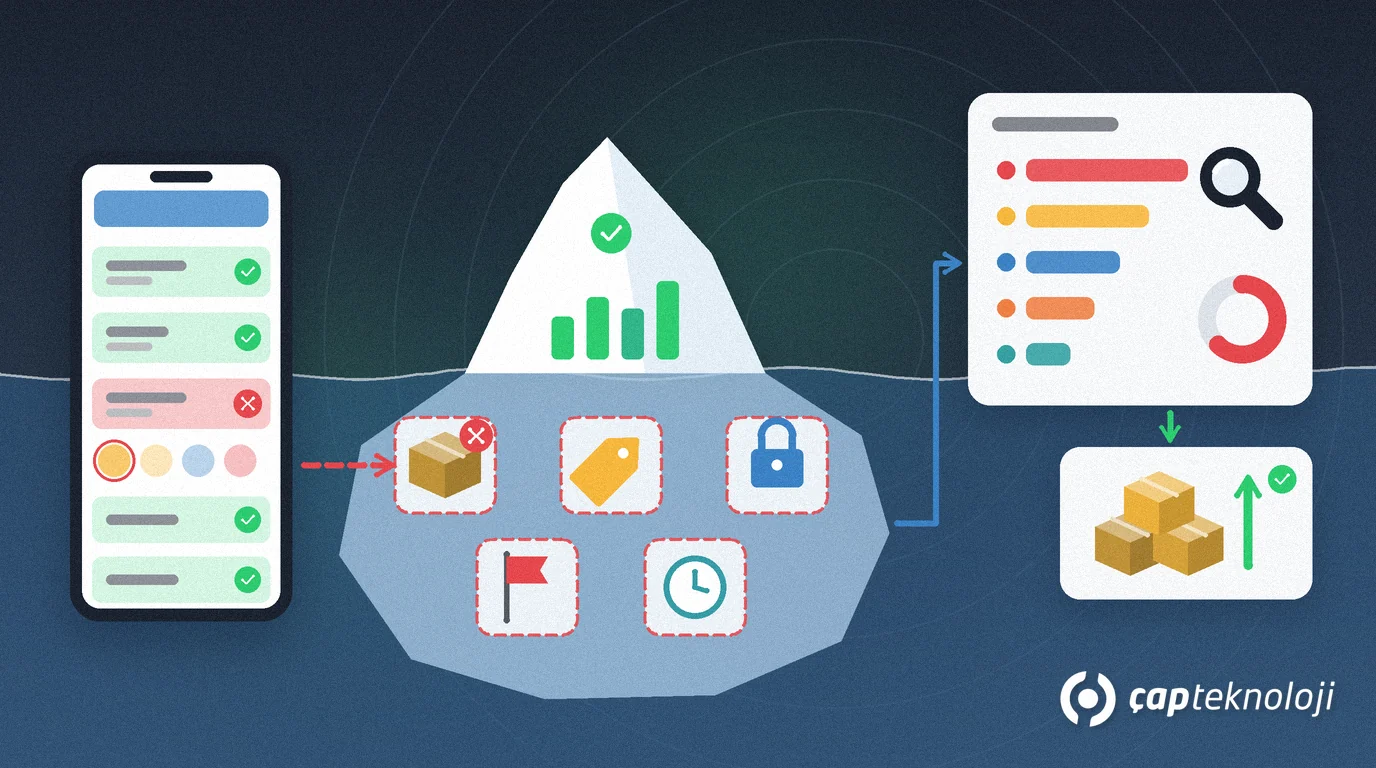
In short: Lost sales analysis means recording demand that a customer wanted to buy but that never became an order, because of a stock-out, price, credit limit, a competitor’s product or delivery date, together with the quantity and the reason, and reporting it regularly. In field sales, lost sales analysis starts with a short reason code on the rep’s order screen and ends each week with a concrete to-do list for purchasing, pricing and finance.
A rep walks into a grocery store, the customer asks for ten cases, and the warehouse has only four. The rep enters four cases and the other six disappear without a trace. The next week the item is out again, and this time the customer buys a competing brand. At month end the ERP report says “sales of this item are down” but not why. This guide explains how to record the orders you could not take in the field, how to code the reasons and how to turn the report into action.
What are lost sales?
Lost sales are the quantity of demand that a customer wanted to buy but that did not turn into a sale, either because of a reason on the supplier’s side or because the customer walked away.
Lost sales need to be kept apart from backorders that are delivered later. The table compares the three situations that are most often mixed up in the field:
| Situation | What happens? | Visible in the ERP? |
|---|---|---|
| Lost sale | Demand is not met and the customer does not wait; no order is created, or only a short one | No, unless it is recorded separately it is on no document |
| Backorder | The customer waits for the item and delivery is postponed | Yes, as an open order |
| Cancelled order | The order was entered and later cancelled by the customer or the company | Yes, with a cancellation record |
Why don’t lost sales show up in ERP reports?
ERP sales reports show sales that became documents: orders, delivery notes and invoices. When a rep says “out of stock” and moves on, no document is created, so the item simply looks like a slow seller. Demand forecasting based on sales history uses the same data, so for items that are often out of stock it can understate real demand, and the next purchase order stays too small.
Retail has debated this problem for a long time. In their Harvard Business Review article “Stock-Outs Cause Walkouts”, Daniel Corsten and Thomas Gruen describe how retailers play down gaps on the shelf on the assumption that customers will simply buy a similar item, and they question that assumption. Field sales is no different: customers do not always place a backorder; often they buy from the competitor’s rep.
How should you code lost-sales reasons?
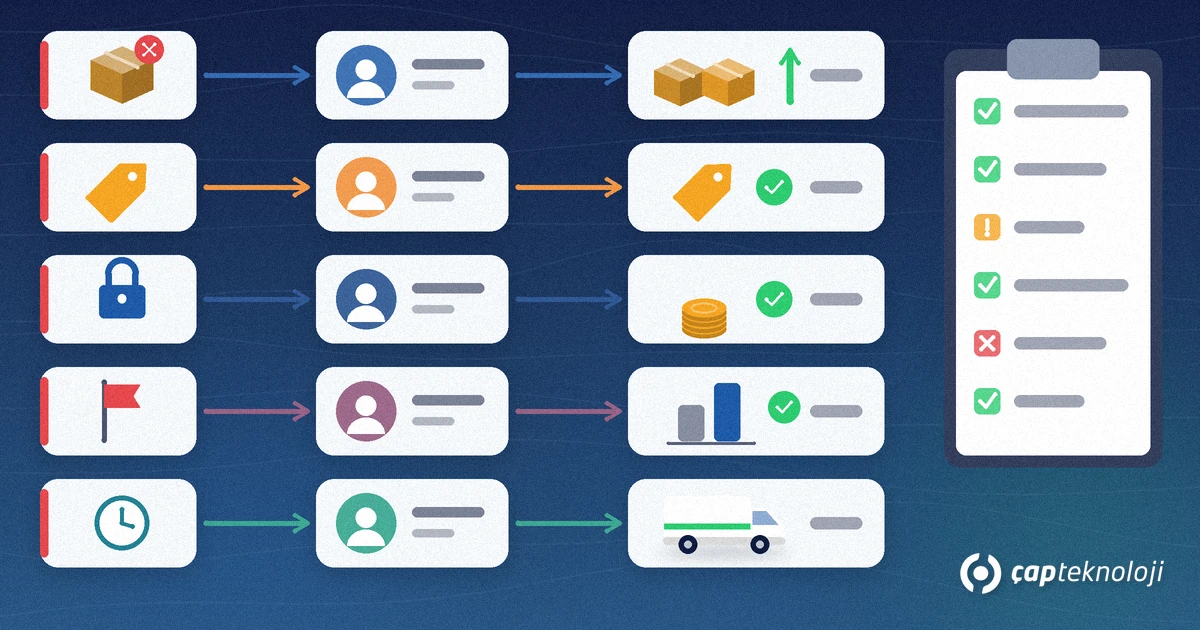
For the record to be useful, reps need a short, fixed list of reasons they can pick with one tap instead of typing. Five to eight codes are enough for most distributors. Each code needs an owner and a typical action:
| Reason code | Owner | Typical action |
|---|---|---|
| Out of stock / not enough stock | Purchasing and warehouse | Review safety stock and reorder point, check supplier lead time |
| Price or discount not acceptable | Sales manager and pricing | Re-assess regional and channel prices and campaign terms |
| Credit limit or risk | Finance | Agree limit, payment terms and a collection plan with the customer |
| Competitor product preferred | Marketing and product management | Compare the competitor’s price, packaging and shelf visibility |
| Delivery date did not fit | Logistics | Review routes, shipping days and delivery frequency |
| Item not in the range | Product management | Treat repeated requests as a new product proposal |
Keep the “other” option rare; if it becomes common, the list is missing something and needs a review.
How to set up lost sales analysis step by step
- Define the scope: write down what counts as a lost sale. A practical definition: the quantity the customer asked for that could not be put on the order during the same visit.
- Fix the reason list: prepare a short list like the one above and agree it with sales and purchasing. Do not change the codes in the middle of a period, or month-to-month comparisons break.
- Build the record into the order flow: recording a lost sale should be part of the order screen, not a separate form. The rep adds the item; if stock is short, the uncovered quantity is suggested as a lost line and the rep only picks the reason. For stock to be right at order time, your stock reservation rules must be clear as well.
- Link it to master data: every record should carry customer code, item code, unit, rep, date and region using the ERP codes. An item name typed as free text never makes it into a report.
- Set up the weekly report: show lost quantity and an estimated value at list price by item, reason, region and customer. Adding it as a separate page to your existing Power BI sales dashboard lets every team look in one place.
- Assign an action owner per code: the review meeting does not stop at numbers; each reason code becomes an action with a date for the owner in the table.
- Check record quality: a rep who never records a lost sale is most likely not recording, rather than never losing one. In the first weeks the field manager should check entries during visits and give the team feedback.
Which metrics belong in a lost sales report?
- Lost quantity and estimated value: by item and reason, valued at list price. It is not an exact revenue loss but an indicator of size for setting priorities.
- Lost sales rate: lost quantity divided by the sum of sold and lost quantity. It makes items and regions comparable.
- Reason mix: which codes the losses come from; stock-driven and price-driven losses call for very different actions.
- Repeated customer-item pairs: losing the same item at the same customer again and again is an early sign that the customer may switch to a competitor.
- Losses due to credit limits: they show the balance between finance and sales; making limit rules visible in the field, as described in our credit limit control guide, avoids unnecessary losses.
Common mistakes
- Letting reps type lost sales into a free-text notes field; those entries cannot be reported.
- Making the reason list too long; reps stop reading it and always tick the first option.
- Recording after the visit; quantities remembered at the end of the day are not reliable.
- Sharing the report with sales only; most actions are taken in purchasing, finance and logistics.
- Using lost sales as a penalty in rep performance reviews; the team will simply stop recording.
Summary and checklist
- A written lost-sales definition exists and the team knows it.
- A fixed list of five to eight reason codes exists, each with an owner.
- The lost line and its quantity are recorded on the order screen with one tap.
- Records are linked to the ERP customer and item codes.
- The weekly report breaks losses down by item, reason, region and customer.
- Every review meeting ends with dated actions.
- The field manager checks record quality regularly.
Lost sales analysis makes the part you did not sell visible and moves stock, pricing and credit decisions from gut feeling to data. At ÇAP Teknoloji we design the reason list, the recording flow on the order screen and the weekly report together with your team in S-Leader field sales automation and reporting projects. In S-Leader, reps see customer balance, past orders and sales in the field, and the report designer lets you build reports for your own needs. Get in touch with us.
Frequently Asked Questions
What is the difference between a lost sale and a backorder?
With a backorder the customer waits for the item and the order stays open in the ERP. With a lost sale the customer does not wait, the demand is not met and, unless it is recorded separately, it appears on no document.
Who should record lost sales?
The person who hears the demand first: the rep during the visit. Recording should be part of the order screen and only require the quantity and a reason code.
How many reason codes should you use?
Five to eight codes are enough for most distributors, such as stock, price, credit limit, competitor, delivery date and item not in the range. The longer the list, the less likely reps pick the right code.
How often should the lost sales report be reviewed?
A weekly review is a good start, so stock and price issues are seen before the next purchasing and campaign decisions; the monthly report is used to judge trends.
