



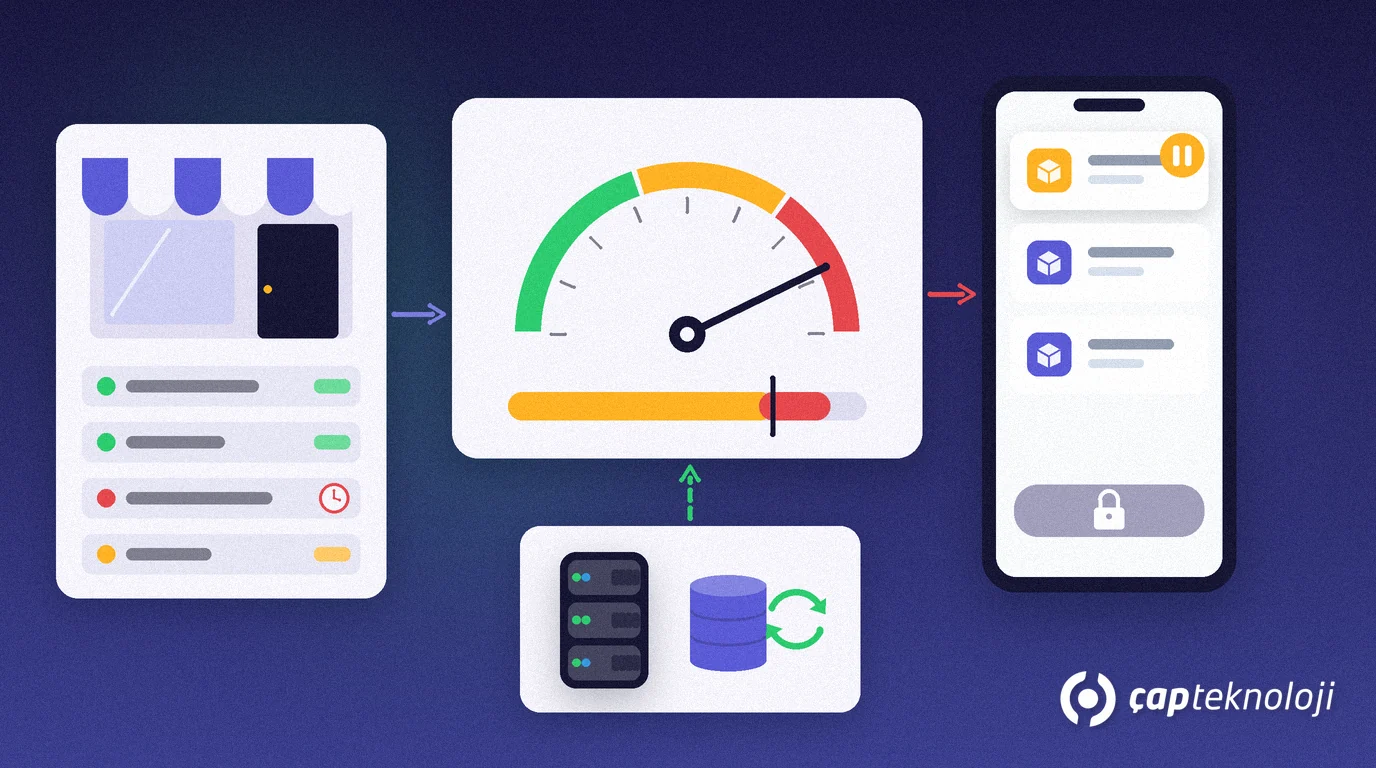
In short: Credit limit control in field sales means that, while a sales rep enters an order, the customer’s open balance, overdue amount and the new order value are added up and compared with the credit limit stored in the ERP in real time. Orders within the limit are approved straight away; orders that exceed it, or that come from customers with overdue invoices, are put on hold in the field and routed to manager approval or collection. Risky deliveries are stopped before the van leaves the depot.
The worst case for a field team looks like this: a rep takes a large order, the goods are loaded and delivered, and only the next day does accounting notice that the customer was already over their limit with two overdue invoices. In an office-based sales process this check happens at invoicing, but in the field the order is taken face to face with the customer, often without calling head office. That is why credit limit control has to move to the moment of order, into the app in the rep’s pocket.
This article explains how the limit is calculated, how the check works at order time and which rules work in practice. If you want to know how stock is protected at the same moment, read our article on field sales stock reservation.
Why should credit limit control happen at order time?
A credit limit is the ceiling for how much a customer can buy on credit. The number alone means little; what matters is the total exposure at the moment of the order. That exposure is the sum of open invoices, open orders not yet delivered, uncollected cheques and promissory notes, and the value of the new order.
If the check is left until invoicing, three problems follow: the goods have already gone to the customer and taking them back is costly and damages the relationship; the rep pushes back when an order they expected commission on is cancelled; and accounting loses time on endless “why did you take this order?” emails. A check at order time makes the decision clear for everyone: the order either goes through or is put on hold with a reason.
How does credit limit control work at order time?
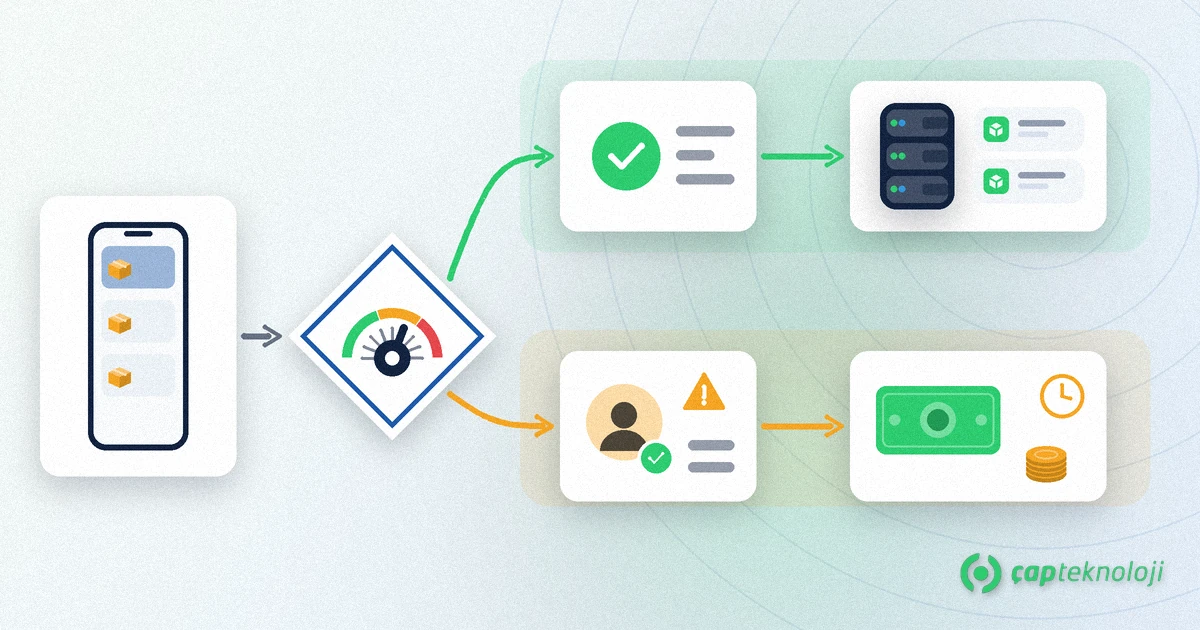
In a well-built field sales app, the check runs in the background the moment the rep taps “Send order”. The flow has four steps:
1. Get the current balance from the ERP
The app pulls the customer’s account balance, overdue amount and open orders from the ERP. Without a connection it uses the balance from the last sync and says so on screen; the sync rules from our article on the offline field sales app apply here as well.
2. Calculate the total exposure
Open balance, open orders, cheques and notes not yet due and the new order value are added together. The total is compared with the credit limit on the customer record.
3. Apply the rule
If the total exposure is below the limit and nothing is overdue, the order is approved immediately. If the limit is exceeded or there is an overdue balance, the order moves to “awaiting approval”. When to warn and when to block should be defined in advance as company policy.
4. Make the decision visible in the field
The rep should see on the same screen why the order is waiting and what the options are: record a payment, reduce the order value or ask the area manager for approval. Once approved, the order is sent to the ERP automatically.
Microsoft’s Business Central documentation on customer cards describes the same logic from the ERP side: the credit limit on the customer card is compared with the balance, and a credit limit or overdue balance warning is shown when an order is entered. The field app’s job is to bring that check onto the rep’s screen.
Credit limit rules that work in the field
- Warn but do not block: for small overruns, for example up to 5 percent of the limit, the rep gets a warning and the order goes through. Customers who pay reliably are not slowed down.
- Block and send for approval: above the agreed threshold the order goes to the area manager. Approval can be given via a mobile notification, so the decision arrives within minutes while the rep is still with the customer.
- Collect first: if a customer has overdue invoices, a new order is held until a payment is recorded. The exposure is then recalculated and the order is released automatically.
- Switch to cash: if the limit is used up but the customer can pay on the spot, the order is converted into a cash or card sale and no limit check is needed.
Checklist: before you switch on credit limit control
- Does every customer record have an up-to-date credit limit, and are customers without a limit left that way on purpose?
- Has accounting agreed in writing which items count towards exposure (open orders, cheques, notes)?
- Are the warning and blocking thresholds and the people who can approve defined?
- How often are balance and exposure data synced from the ERP?
- Does the rep’s screen clearly show why an order is on hold and how to resolve it?
- Are held and approved orders reported? This data can be tracked as an over-limit rate in a Power BI sales dashboard.
Credit limit control is not a brake on sales but a tool that lets reps decide with confidence in the field. When the rules are clear, reps know what they can sell, accounting sees the risk and managers only deal with orders that really need a decision. Our article on how sales automation works shows where this check sits in the overall order process.
At ÇAP Teknoloji we set up order, stock and risk controls for field sales teams with S-Leader field sales automation, integrated with ERP systems such as Logo and Mikro. Get in touch to design your own credit limit rules with us.
Frequently Asked Questions
Can credit limit control work offline?
Yes. The app runs the check against the balance and limit from the last sync and shows when that data was updated. Once the connection returns, the exposure is recalculated with the current ERP balance.
Is an order over the limit cancelled?
No. In a well-designed flow the order is not cancelled but set to awaiting approval. The rep can record a payment, reduce the value or request manager approval, and the order is sent to the ERP once approved.
Which items should count towards total exposure?
Usually open invoices, undelivered open orders, cheques and notes not yet due, and the value of the new order. Agree in writing with accounting which items are included.
Does credit limit control reduce sales?
Not when it is set up well. With warnings for small overruns and fast mobile approval for larger ones, reliable customers are not affected; only genuinely risky orders are put on hold.
