


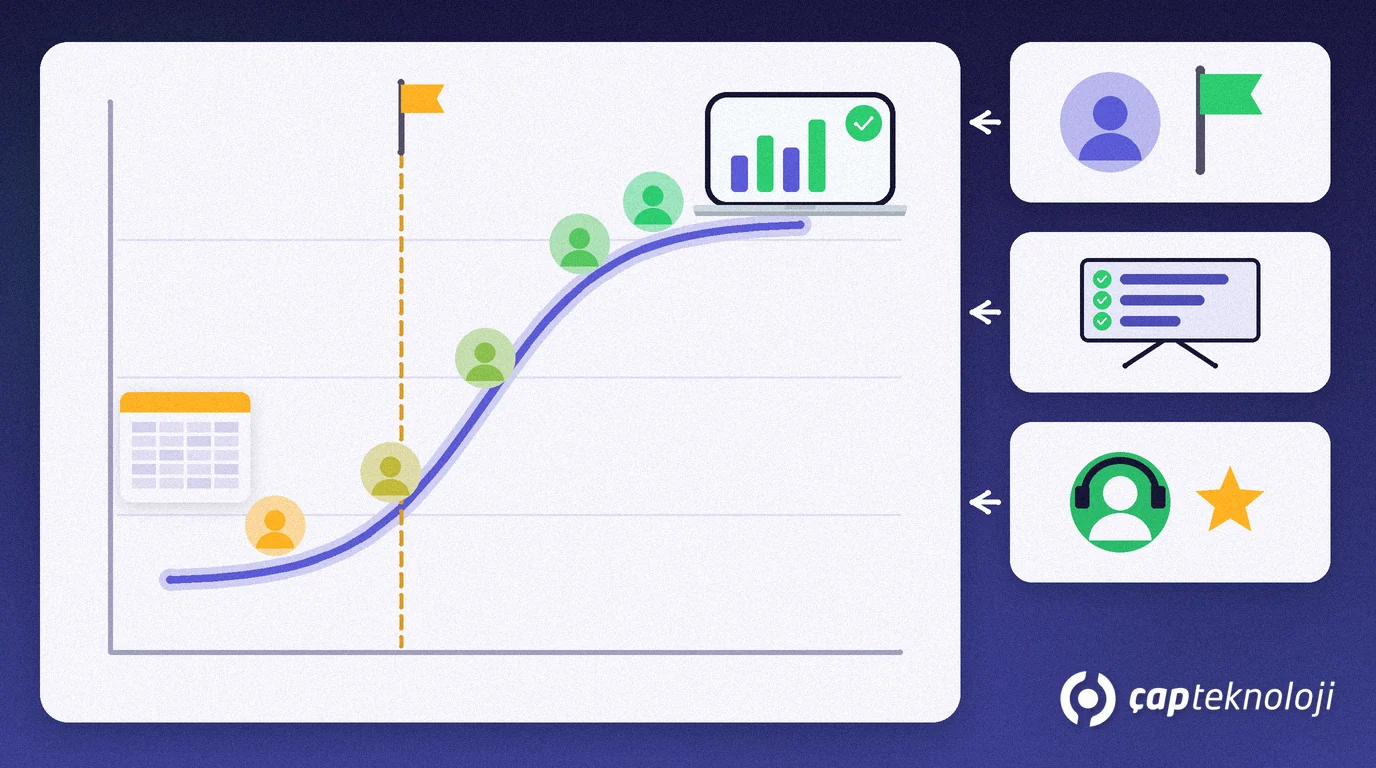
In short: Change management is the planned work that helps employees understand, accept and keep using a new way of working when a company introduces new software. Even a technically perfect ERP, CRM or field sales app misses its goal if the team quietly goes back to its old spreadsheets. A sponsor, key users, role-based training and close support at go-live are the foundations.
In small and mid-sized companies, software projects are usually planned around licences, installation and data migration, while the people side is reduced to “we will train them and they will get used to it”. This article explains change management without corporate jargon: 7 concrete steps and a table showing who does what.
Contents
- What is change management?
- Why do people resist?
- Change management in 7 steps
- Who does what?
- Common mistakes
- Summary and checklist
What is change management?
Change management is the set of methods that prepares people for a change in processes, systems or roles, supports them through the transition and makes the new way of working stick.
Every software project contains two jobs: setting up the system and getting people to use it. The first belongs to the technical team, the second to management and department heads. The widely used Prosci ADKAR model splits individual change into five elements: awareness (why are we changing?), desire (why should I take part?), knowledge (how is it done?), ability (can I do it in my own job?) and reinforcement (not slipping back). Answering these five questions for every employee is a good starting check.
John P. Kotter’s Harvard Business Review article “Leading Change: Why Transformation Efforts Fail” makes the same point: change runs through several phases, skipping steps only creates an illusion of speed, and a critical mistake in any phase can undo earlier gains. This is also why digital transformation is never just a technology choice.
Why do employees resist new software?
Resistance rarely comes from bad intentions; it usually comes from uncertainty. The most common reasons we see are:
- “I don’t know how my job will change”: the software is presented, but “what will be different on my screen on Monday morning?” stays unanswered.
- Extra workload: during the transition people have to keep records in both the old and the new system.
- Feeling of losing control: the spreadsheet someone has used for years is their own system; the new software makes the work visible and auditable.
- Training at the wrong time: training happens weeks before go-live, and by day one much of it is forgotten.
- Early errors: one missing permission or a wrong item card quickly spreads the idea that “this system doesn’t work”.
In our research-based article why ERP projects fail, poor change management with user resistance and a lack of executive sponsorship are among the six causes as well.
How do you apply change management in 7 steps?
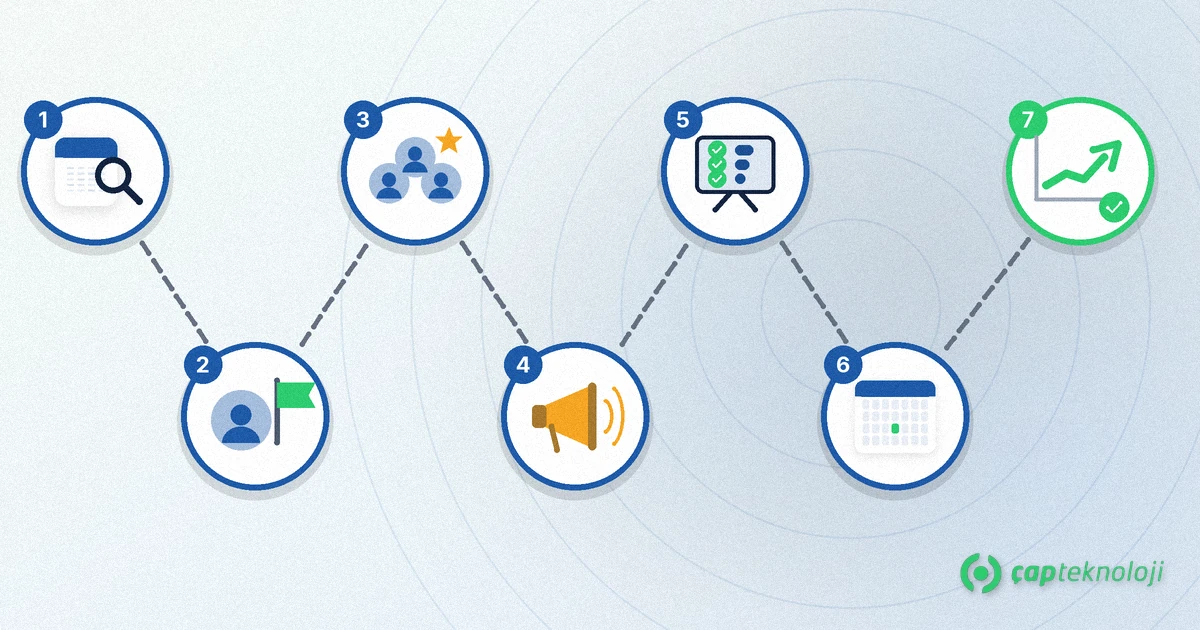
The steps below work for a 20-person company as well as a 200-person one; only the scale differs.
1. Write down today’s way of working and what will change
Prepare a simple change table for each role: how the work is done today, how it will be done in the new system, and which report or file will disappear. The table will look different for the buyer, the warehouse lead and the accountant. Roles with the biggest change come first for training and support.
2. Name a sponsor from management
The sponsor is the manager who explains in their own words why the project matters and who decides when departments disagree. Without a visible sponsor, people see the project as “an IT thing” and do not give it priority.
3. Choose key users in every department
A key user knows the department’s work well, gets early access to the new system and becomes colleagues’ first point of contact. Write the test scenarios with the key users; they hear the team’s objections first. Their managers need to free up some of their daily workload so they actually have time for this role.
4. Explain the why and the timeline
Make a simple communication plan: who hears what, when and through which channel. Share why you are changing in the first announcement, what will change in the second, and before go-live what to do on day one and whom to ask. A single kick-off meeting is not enough.
5. Run role-based training
Instead of one general presentation for everyone, show each role only its own screens and transactions. Train close to go-live, let people practise in a test environment with the company’s own data if possible, and leave short step-by-step notes.
6. Provide close support at go-live
Have key users and the consultant on the floor during the first days and collect questions in one channel. Switch the old system or shared spreadsheets to read-only on an agreed date; otherwise both systems live on in parallel. If you are planning a Logo version change, our Tiger 3 to Logo Edge T-Series migration guide covers the technical steps separately.
7. Measure use and make it stick
Track adoption by observation, not by feeling: records created in the system, transactions still kept in spreadsheets, repeated support questions and error rates per department. Give extra training to teams that struggle, make good practice visible and run reporting from the new system; once the management report comes from the new system, going back to the old way becomes hard. The same principles apply when you move servers or applications, as described in our cloud migration for SMEs guide.
Who does what?
| Role | Who it can be | Task in the change |
|---|---|---|
| Sponsor | Managing director or responsible director | Explains the why, sets priority, decides in disputes |
| Project manager | An internal owner | Tracks the timeline, communication plan and open issues |
| Key user | An experienced employee from each department | Tests, supports colleagues, brings objections forward |
| Department head | Sales, warehouse and finance managers | Frees up time for the team, follows up on use of the new method |
| Consultant and IT | Partner or internal IT team | Setup, permissions, training material and go-live support |
Common change management mistakes
- Leaving the project to the IT team or the software vendor alone.
- Covering training with one general presentation held long before go-live.
- Never setting a date to switch off the old system.
- Giving key users extra tasks without reducing their daily work.
- Not measuring use after go-live and assuming “it has settled”.
Summary and checklist
- Is there a “today / tomorrow” change table for every role?
- Has the sponsor explained the why to the team personally?
- Does every department have a key user with dedicated time?
- Have the communication plan and day-one instructions been shared?
- Is training role-based and close to go-live?
- Is the date for making the old system read-only fixed?
- Is use being tracked in the weeks after go-live?
In short, change management means not leaving the people side of a software project to chance. At ÇAP Teknoloji we plan the key user structure, role-based training and go-live support together with the installation in ERP, reporting and field sales projects as part of our digital transformation consulting; contact us to talk about your project.
Frequently Asked Questions
Do small companies need change management too?
Yes. A small company does not need a separate change team, but it still needs a sponsor, one key user per department, a short communication plan and role-based training. In a smaller company these tasks simply take fewer people and less time.
How do you choose a key user?
Pick someone who knows the department’s work well, whom colleagues already ask for help and who is open to new tools. It does not have to be the most senior person. Their manager should reduce their daily workload so they have time for the role.
How long before go-live should training take place?
As close to go-live as possible, because skills that are not used are quickly forgotten. Role-based training just before the switch, followed by key users supporting colleagues on the floor during the first days, works best.
How do you stop people going back to their old spreadsheets?
Make old files and the old system read-only on a fixed date, take management reports only from the new system and talk to teams that still use spreadsheets about why. Often a missing report or permission is the real reason.