



In short: A cyber incident response plan is a document that sets out, in advance, who does what when an attack or data breach is discovered, who needs to be informed and in which order systems are brought back online. For SMEs, a good plan does not have to be long; a few pages with clear roles, a contact list and a sequence of steps are enough to prevent panic decisions during a crisis.
It is Monday morning and accounting calls: files will not open, their extensions have changed and there is a “ransom note” on the desktop. In many companies, everyone starts doing something at once. One person shuts down the server, another tries to restore from backup, someone replies to the attacker’s email and the owner simply wants it fixed immediately. This uncoordinated response often makes the damage worse: evidence is lost, clean backups get encrypted too and notification deadlines are missed. In this article we explain what an incident response plan is, what to do in the first hours of an attack and how an SME can put its own plan together step by step.
Contents
- What is a cyber incident response plan?
- What to do in the first hours of an attack
- How to build an incident response plan in 6 steps
- Data protection, notification and legal risks
- Summary and checklist
- Frequently Asked Questions
What is a cyber incident response plan?
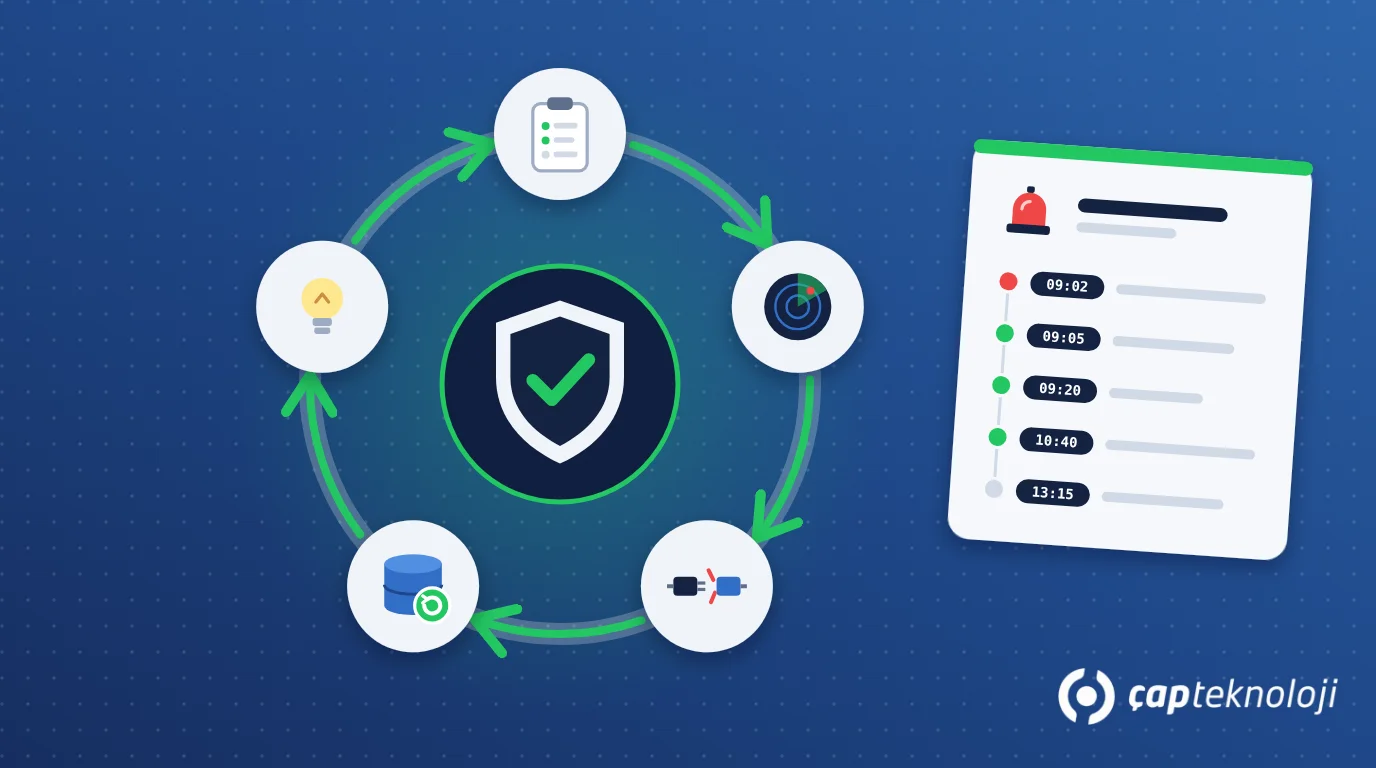
A cyber incident is any event that compromises the confidentiality, integrity or availability of information systems: ransomware, a hijacked email account, a payment made against a fake invoice, a lost laptop or an unauthorised person accessing customer data. The incident response plan defines what to do in these situations. International frameworks (for example NIST’s incident response guidance) usually describe the process in these phases:
- Preparation: Roles, contact lists, backups, logging and tools are prepared before anything happens.
- Detection and analysis: You establish whether the incident is real, what it affects and how serious it is.
- Containment: The spread is stopped; affected devices are isolated from the network and compromised accounts are disabled.
- Eradication and recovery: Malware and the attacker’s access are removed, and systems are restored from clean backups in a controlled order.
- Post-incident review: What happened, what worked and what needs to change is written down.
An incident response plan and a disaster recovery plan are closely related, but they are not the same thing:
| Topic | Incident response plan | Disaster recovery plan |
|---|---|---|
| Focus | Stopping the attack, understanding its scope, preserving evidence | Restoring systems and data within a defined time |
| When does it start? | As soon as something suspicious is noticed | When systems become unavailable |
| Who is involved? | IT, management, legal/data protection, communications, external experts if needed | Mainly IT and business units |
| Key output | Incident log, notifications, lessons learned | Recovery time (RTO) and data loss (RPO) targets |
What to do in the first hours of an attack
The first hours of an incident decide how hard the following days will be. Keep this part of the plan as simple as possible and written in plain language:
- Disconnect the affected device, do not switch it off: Unplugging the network cable or turning off Wi-Fi stops the spread. Shutting the device down completely can erase traces in memory; make that call together with an expert.
- Protect your backups: Disconnect the backup server or backup drive from the network. Attackers often go after backups first.
- Lock accounts that may be compromised: Change the passwords of suspicious email and administrator accounts from a clean device and end active sessions.
- Start taking notes: When, who, what was noticed and which step was taken? This timeline is needed both for the technical investigation and for notifications.
- Do not contact the attacker or rush to pay a ransom: That decision should be taken jointly by management, legal counsel and an expert.
- Alert the incident lead and the people on the list: Use an alternative channel agreed in advance rather than company email, which may be compromised.
How to build an incident response plan in 6 steps
1. List critical systems and data
Write down the systems whose failure would stop the business: the ERP database, file server, email, accounting and payroll, website and remote access. For each one, note what data it holds, who is responsible and how long it can be down at most. This list also sets the recovery order. If you do not have a reliable inventory, start there.
2. Define roles and decision rights
Even in a small business, at least these roles should be clear: incident lead (runs the process), technical response (internal IT or an external IT provider), management representative (makes business decisions), data protection and legal contact, and communications lead (what to tell customers and staff). Name a deputy for each role; incidents tend to happen on holidays or when a key person is away.
3. Prepare a contact list
Phone numbers for your IT provider, internet service provider, cyber insurer (if any), legal counsel and software vendors’ support lines should be in one list. Keep a printed copy and a digital copy somewhere that is not connected to the company network, so the plan is still available when ransomware encrypts the file server.
4. Write short playbooks by incident type
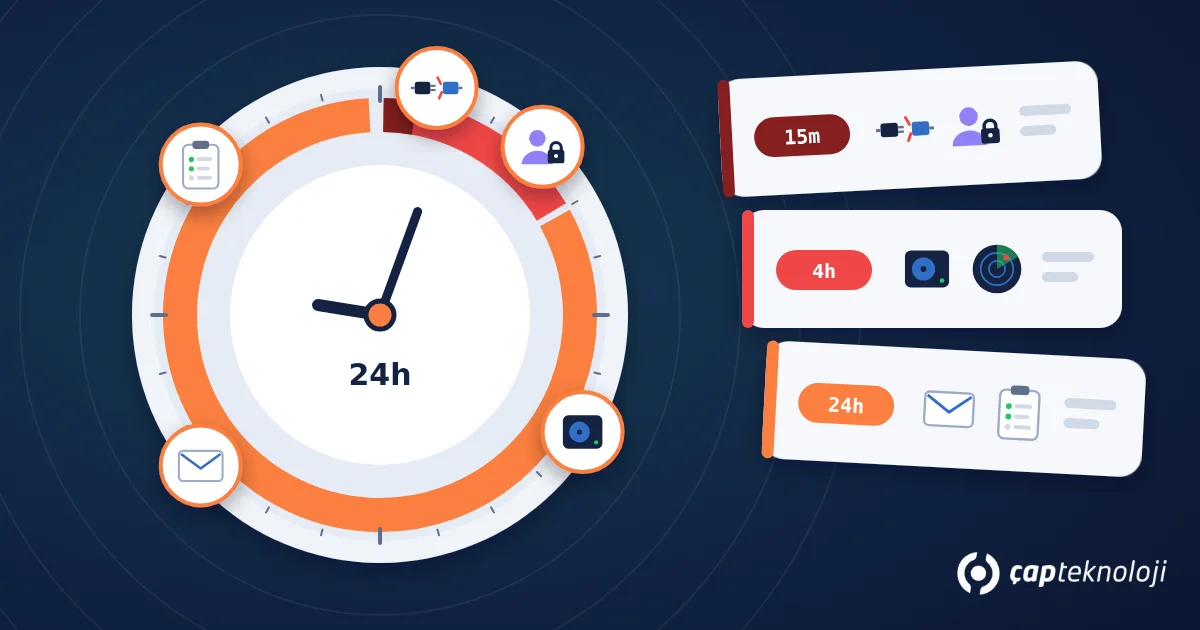
You do not need a separate book for each incident. Half-page step lists for the four or five most likely scenarios are enough: ransomware, a hijacked email account, a fraudulent payment request, a lost or stolen device and a customer data leak. For each scenario, answer “who does what” under “first 15 minutes”, “first 4 hours” and “first 24 hours”.
5. Make logs and backups incident-ready
Most questions during an incident are answered by logs: who logged in, when and from where? Make sure server, firewall and email logs are kept long enough. At least one copy of your backups should be offline or immutable, and restores should be tested regularly. If you have continuous monitoring, the plan should state who receives the alerts.
6. Test the plan with an exercise and keep it current
Run a tabletop exercise at least once a year: gather the team in a room and talk through a scenario such as “9:00 a.m., a ransom note appears on the accounting PC” step by step. Missing phone numbers, passwords nobody knows and unclear decisions come to light in these exercises. Update the plan after staff changes, new systems or a real incident.
Data protection, notification and legal risks
If an incident affects personal data (customer, employee or supplier information), it is no longer just a technical problem. In Turkey, the Personal Data Protection Law No. 6698 (KVKK) requires the data controller to notify the data subjects and the Personal Data Protection Board as soon as possible if processed data is obtained unlawfully by others. In its decision on the matter, the Board expects notification without delay and within 72 hours at the latest after the breach is discovered; under the GDPR, the EU applies a similar 72-hour rule for notifying the supervisory authority. Your plan should therefore cover:
- Who decides whether the incident is a personal data breach,
- Who is responsible for notifications to the authority and data subjects, with draft texts,
- How the incident record is kept (what happened, which data, how many people, which measures were taken).
Because legislation and regulatory practice can change, review your notification process with your legal adviser. Your contracts may also require you to inform customers or partners, and cyber insurance policies usually require incidents to be reported within a certain time. Paying a ransom carries both legal and practical risks: even after payment, there is no guarantee that data will be restored or not published.
Summary and checklist
An incident response plan is a short, practical document that helps you make the right decisions quickly during an attack. Use this checklist to see whether yours is ready:
- Are critical systems, owners and acceptable downtimes documented?
- Is there a named incident lead and a deputy for each role?
- Is there an offline and a printed copy of the contact list?
- Are short playbooks ready for ransomware, email account takeover and payment fraud?
- Is at least one backup copy offline, and has a restore been tested?
- Is someone responsible for data protection notifications, with a draft text?
- Has a tabletop exercise been held in the last 12 months?
If you are building a plan for the first time or want to review your existing one, our cybersecurity consulting covers risk analysis, plan preparation and exercise support. To strengthen access control, see our article on closing IT access when employees leave, and for reliable recovery, our guide to SQL Server backups.
Frequently Asked Questions
Does a small business really need an incident response plan?
Yes. A plan is not only for large companies; a 10-person business can also be hit by ransomware or invoice fraud. For small businesses, a few pages listing roles and phone numbers are enough.
Should I switch off the computer during an attack?
The usual advice is to disconnect it from the network first. Switching the device off can erase memory traces needed for the investigation. If possible, decide on shutting down together with your expert.
Who should write the plan?
The IT lead or an external IT provider can draft it, but management, accounting, HR and legal should also give input. The final version should be approved by management and shared with everyone involved.
How often should the plan be updated?
At least once a year and after every significant change: a new system, staff changes, a new IT provider or a real incident. An annual tabletop exercise is the easiest way to see what needs updating.