


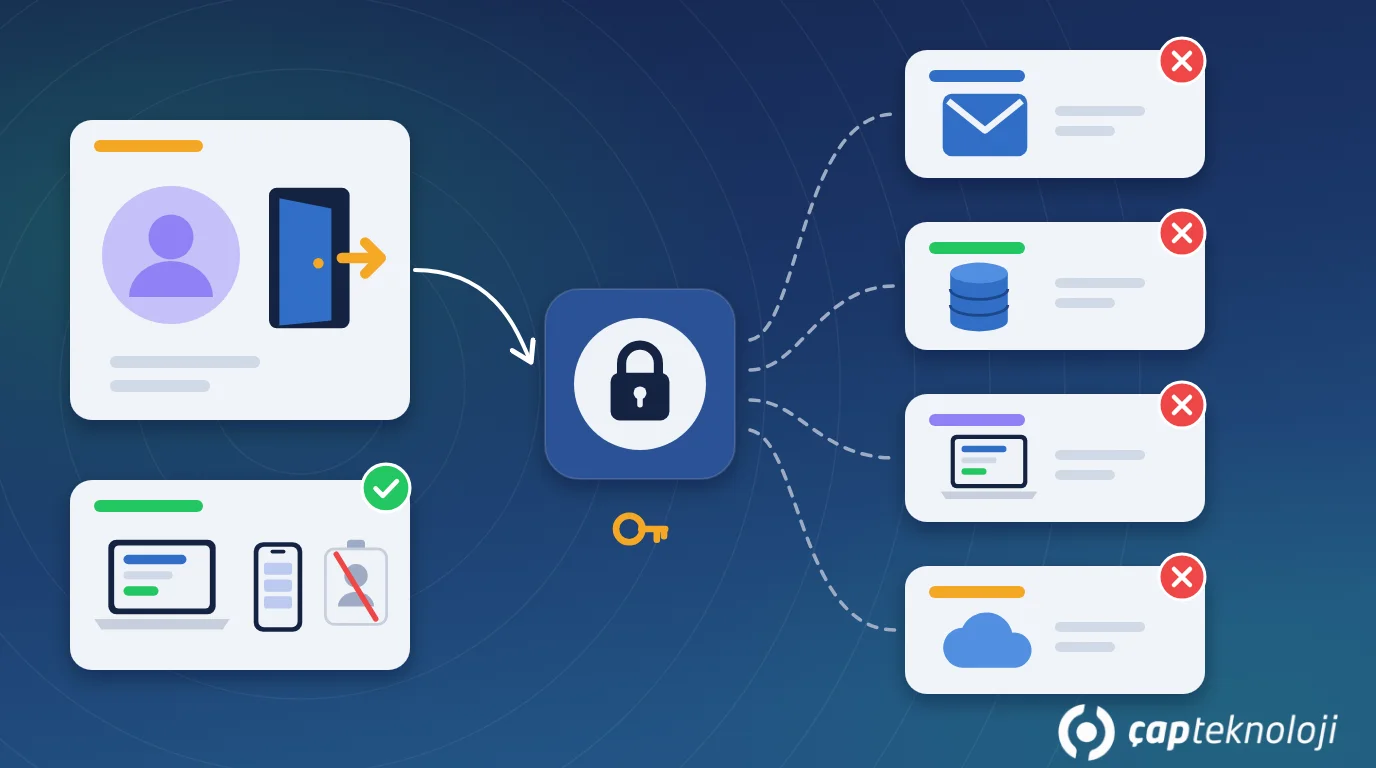
In short: IT offboarding means closing every account a departing employee used (email, ERP such as Logo, VPN, cloud apps and shared logins) on their last day, without gaps. It should not depend on someone’s memory. A written checklist, a named owner and a recorded sign-off keep data safe and keep the work flowing after the person has gone.
In many small and mid-sized companies, HR handles a departure carefully while IT is an afterthought. Months later someone notices that a former sales rep’s mailbox is still active, the field sales app on their phone is still syncing the customer list, the VPN account still works, or the shared online banking password was never changed. Usually nobody meant any harm. But every account left open is a door an attacker can use once a password leaks, and customer data in a former employee’s hands is still the company’s responsibility under data protection law. In Turkey that law is KVKK, the Turkish Personal Data Protection Law.
Contents
- What is IT offboarding?
- Which access needs to be removed?
- IT offboarding in 7 steps
- Data protection and continuity risks
- Summary and checklist
- Frequently Asked Questions
What is IT offboarding?
IT offboarding is the planned removal of a departing employee’s access to company systems, the return of company devices and data, and the handover of their ongoing work to someone else. It is the reverse of onboarding, when accounts are created and permissions granted.
It is much more than disabling an Active Directory account. In a typical SME, one person’s access is spread across many places: Microsoft 365 or Google Workspace, Logo or another ERP, the VPN, cloud storage, a field sales app, the e-invoicing portal, online banking, social media and supplier portals. Without a list, you cannot know what was missed. Good offboarding doesn’t rely on remembering. It works from an up-to-date record of who has access to what.
Which access needs to be removed?
The table below covers the access types SMEs deal with most often and what to watch for when you close each one.
| Access type | Examples | What to watch for |
|---|---|---|
| Identity and email | Active Directory, Microsoft 365, Google Workspace | Don’t delete straight away. Disable the account, end sessions, then hand over the mailbox. |
| ERP and accounting | Logo, e-invoice/e-ledger portals | Deactivate the user instead of deleting it, so the audit trail (who did what, when) stays intact. |
| Remote access | VPN, Remote Desktop, remote support tools | Revoke certificates and registered devices as well. |
| Mobile and field | Field sales app, company phone | Wipe company data from the device and free up the app licence. |
| Shared accounts | Banking, social media, courier and supplier portals | If the person knew the password, change it. |
| Physical access | Access cards, keys, alarm codes | Cancel the card and change the alarm code. |
Shared accounts are the most common blind spot. Once the personal account is closed, the job seems done, yet the person still knows the password everyone uses.
How to run IT offboarding in 7 steps
1. Build an access inventory
Keep a simple table for each employee showing which systems they use and with what rights. A spreadsheet is enough to start. Fill it in at onboarding and update it when roles change. On the last day, this table defines the scope of the work.
2. Agree on a trigger between HR and IT
IT needs to know as soon as a departure is confirmed. Make it a rule that HR sends the leaving date and time in writing, by email or through the ticket system. If IT is outsourced, the notice goes to the provider too.
3. Close access at the same time on the last day
Disable the identity account, sign out all active sessions and reset the password. Remove registered multi-factor authentication (MFA) devices, or the old phone may keep approving sign-ins. Our MFA guide explains how to set it up properly. Then deactivate VPN, ERP and application accounts. If the departure is a difficult one, do this while the person is being told.
4. Change shared passwords
List every shared password the person knew and change it: banking, social media, Wi-Fi, admin accounts, the camera recorder. If the team uses a password manager, remove their vault access and rotate the shared entries.
5. Hand over data and work
Give the mailbox to a manager or successor, or set up an auto-reply and forwarding for a set period. Move company files from the laptop or personal cloud folder to a shared location. Meetings, scheduled tasks, reports and automations owned by the person can quietly stop when the account closes, so reassign them.
6. Collect and wipe devices
Collect laptops, phones, tablets, USB drives and security keys. Back up what is needed, then reset the device securely before reissuing it. If company apps run on a personal phone, use mobile device management to wipe only company data.
7. Record and review
Note who completed each checklist item and when. After a week, check again: Are there sign-in attempts on the account? Was the licence freed? Is forwarding working? Every quarter, compare all active accounts against the staff list. This is also a core part of an IT infrastructure audit.
Data protection and business continuity risks
Leaving a former employee’s access open creates several kinds of risk:
- Personal data: Customer, employee and supplier records contain personal data. KVKK, like the GDPR, expects the data controller to take technical and organisational measures against unauthorised access. Removing access when it is no longer needed is one of the most basic of these. If you suspect a breach, assess it together with your legal advisor.
- Account takeover: Unmonitored accounts are the first thing attackers try with leaked passwords. A suspicious login can go unnoticed for weeks.
- Business continuity: Deleting an account in a hurry also causes harm. Emails, files and automations owned by the person can be lost. Disable first, hand over next, and delete only once the agreed retention period has ended.
- Wasted licences: Accounts left open keep costing licence fees every month. A checklist makes that cost visible.
Take extra care when an IT admin or an external IT provider leaves. In that case, also renew admin passwords, service accounts and the credentials for the firewall and backup systems.
Summary and checklist
- Is there an up-to-date access inventory for each employee?
- Does HR notify IT of departures in writing and on time?
- Are identity, email, VPN, ERP and mobile access closed on the same day?
- Are MFA devices and active sessions removed?
- Are shared passwords the person knew changed?
- Are the mailbox, files and automations handed over?
- Are devices returned and securely wiped?
- Is everything recorded, with a quarterly account review?
Reliable offboarding doesn’t need a big investment. What it needs is a written list that is followed the same way every time. At ÇAP Teknoloji, we can help you map your access inventory, draw up onboarding and offboarding checklists and review your user permissions as part of our cybersecurity consulting.
Frequently Asked Questions
Should a former employee’s email account be deleted immediately?
No. Disable the account and end its sessions first, then hand the mailbox to a manager or set up forwarding. Delete it only after the retention period your company has set.
Should a departing user in Logo be deleted or deactivated?
Deactivating is usually better. The person can no longer sign in, but the history of who entered which record is kept. If needed, the licence can be reassigned to the new user.
Who should run offboarding in a small company?
One named owner is enough: an in-house IT person, the office manager or your IT provider. What matters is that HR always notifies this person and the checklist is followed in full every time.
What about employees who use company apps on their own phone?
With mobile device management, you can wipe only company data and apps remotely. Without it, disable the app account on the server side and ask the person in writing to remove the app.