



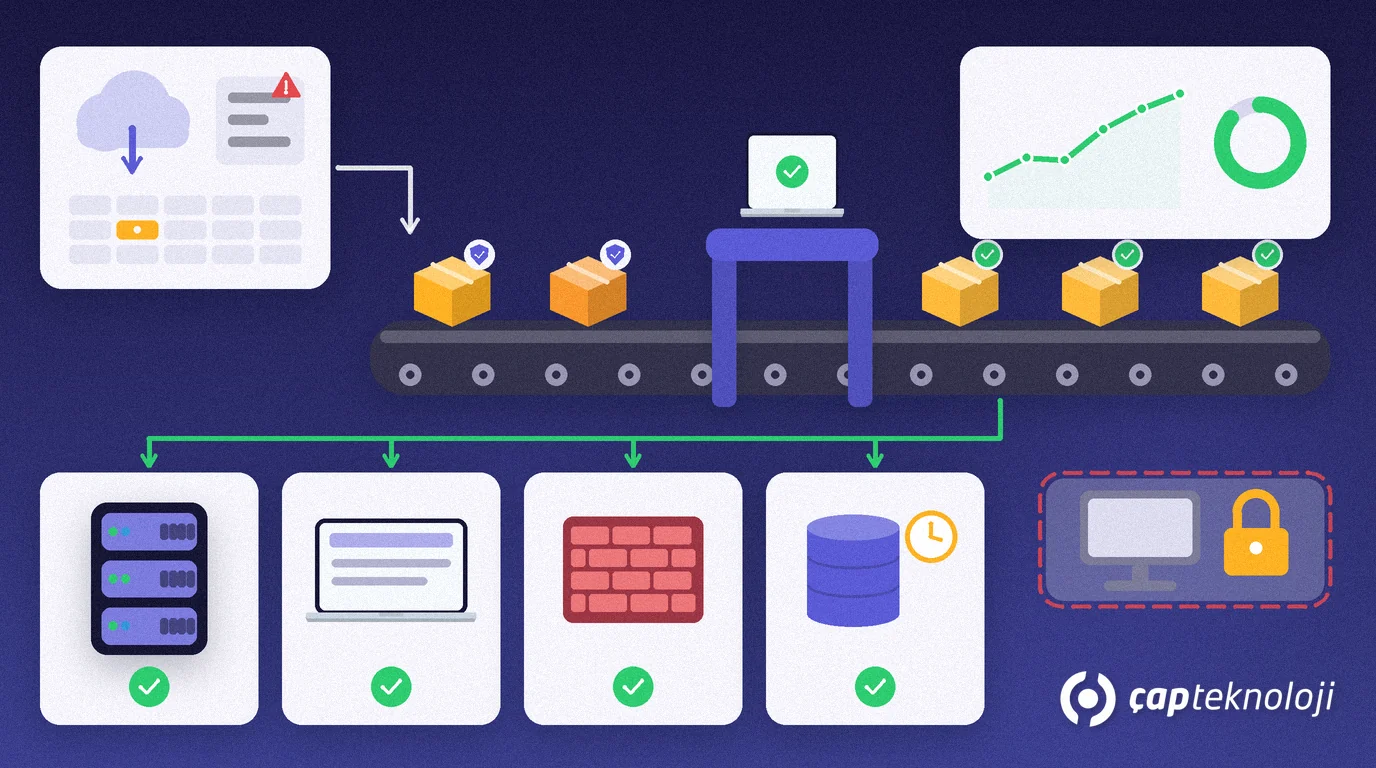
In short: Patch management is the routine process of tracking the security updates released for your servers, computers, network devices and applications, prioritising them, installing them after testing and verifying that they are actually in place. For SMEs, good patch management starts with a complete asset list, puts actively exploited vulnerabilities first and runs on a fixed monthly cycle of testing, deployment and reporting.
In many small companies updates happen “whenever the computer asks”: users postpone the restart, servers go unpatched for months under the motto “if it works, don’t touch it”, and the firewall still runs the firmware it shipped with. Attackers, meanwhile, often skip clever new techniques and simply use known vulnerabilities for which a fix has long been available. This guide walks through a practical patch management routine that a small IT team or an outsourced provider can run.
What is patch management?
Patch management is the process of identifying, prioritising, acquiring, installing and verifying the installation of patches, updates and upgrades for the software and hardware across an organisation.
The definition comes from the US National Institute of Standards and Technology’s SP 800-40 Rev. 4 guide to enterprise patch management planning. NIST frames patching as preventive maintenance and a normal cost of doing business. As with servicing a vehicle, skipping it usually costs more in breakdowns and downtime than the maintenance itself. Patch management is not a one-off project but an ongoing job with a schedule, an owner and a report.
Which systems belong in patch management?
Tracking Windows updates alone is not enough. Your inventory should cover at least these groups:
- Servers: Windows and Linux servers, the virtualisation platform (hypervisor) and the backup server.
- Business applications and databases: ERP, SQL Server, e-invoicing integrations, accounting and reporting software.
- User computers: the operating system plus third-party applications such as browsers, office software, PDF readers and VPN clients.
- Network and security devices: firmware of the firewall, VPN gateway, switches, wireless access points and NAS devices.
- Mobile devices and cloud services: company phones and tablets, and the settings of SaaS applications with an admin console.
Record an owner, a business criticality level and whether the vendor still ships updates for every asset. If your inventory has gaps, an IT infrastructure audit is the most structured way to build it.
How should you prioritise security updates?
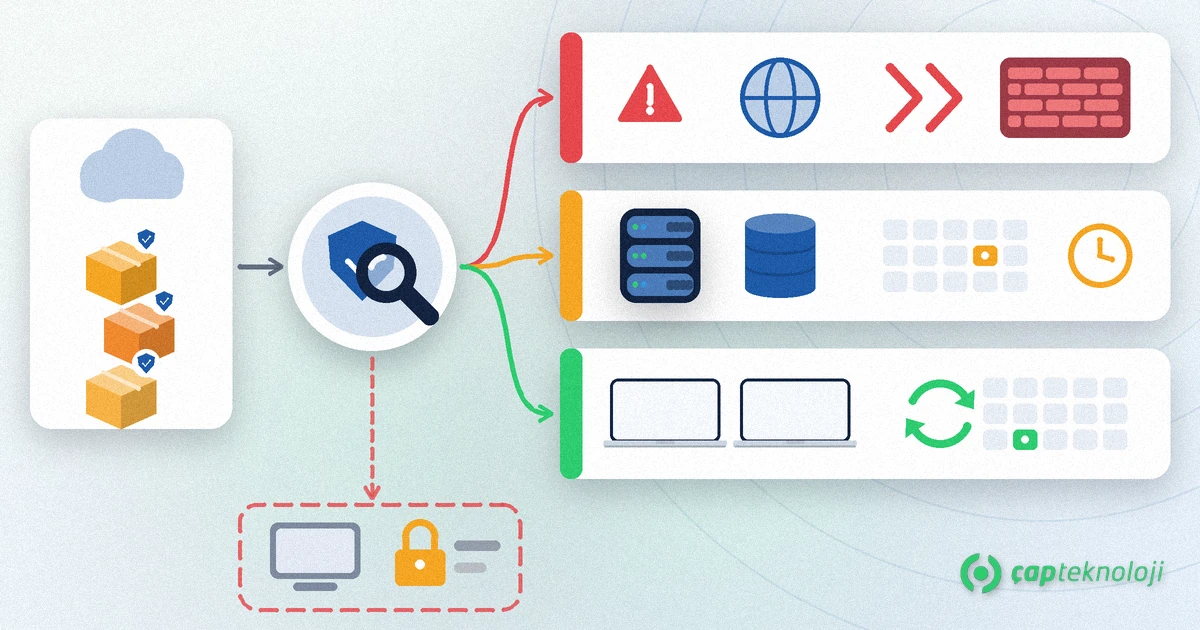
A large number of updates are released every month, and installing all of them on the same day is not realistic. Ask three questions: Is the vulnerability being actively exploited, is the affected system exposed to the internet, and how critical is the system for the business? The US Cybersecurity and Infrastructure Security Agency (CISA) publishes vulnerabilities confirmed as exploited in the wild in its Known Exploited Vulnerabilities (KEV) catalog and recommends that every organisation prioritise them.
| Priority | Criteria | Examples | How to handle it |
|---|---|---|---|
| Urgent | Actively exploited vulnerability (e.g. listed in the KEV catalog) or a critical flaw on an internet-facing system | Firewall, VPN gateway, mail server | Installed outside the monthly cycle, after a short test and with a rollback plan |
| High | Critical or high-severity vulnerability on a critical internal system | ERP and SQL Server servers, domain controller | Tested in a test environment, installed in the next planned maintenance window |
| Normal | Medium and low-severity vulnerabilities, user computers | Office software, browsers, printer drivers | Rolled out to all devices in the monthly cycle after a pilot group |
A written patch policy sets your target times for these three levels and who approves exceptions. Define the times yourself, based on your industry, your contracts and your risk appetite.
The patch management process step by step
- Build the inventory and assign owners: collect the asset groups above in one list; each row shows the owner, criticality and update method.
- Follow your update sources: subscribe to vendor security bulletins. Microsoft typically releases Windows quality updates on the second Tuesday of each month, but urgent fixes can arrive at any time. Add the advisories of your network-device and ERP vendors to the same list.
- Prioritise: classify incoming updates as urgent, high or normal using the table above.
- Test first: install updates on a few IT users’ computers and, where possible, on a test copy of your servers; check that critical applications start and that printing and integrations still work.
- Plan a maintenance window and back up: patch servers outside business hours in an announced window. Take a backup or snapshot before installing and write down the rollback steps.
- Deploy centrally: an endpoint management tool such as Microsoft Intune, or your provider’s remote monitoring and management (RMM) tool, rolls updates out to device groups on a schedule and limits how long users can postpone them.
- Verify and report: confirm that installations actually completed and no device is still waiting for a restart. A short monthly report should show the share of up-to-date devices, open critical updates and exceptions.
- Record exceptions: for every system that cannot be updated, note the reason, the compensating measure and the next review date.
How should you patch ERP and SQL Server servers?
ERP and database servers are the most critical systems and also the ones patched least often. Three rules reduce the risk. First, before installing operating system or SQL Server updates, check the supported versions with your ERP vendor or partner. Second, take a full database backup right before the installation and make sure it can be restored. Third, after the update, confirm with a short checklist that ERP logins, invoicing and integration services work.
Microsoft releases cumulative updates for SQL Server at regular intervals, while versions that have reached end of support no longer receive security updates. If your server runs such a version, you need a SQL Server upgrade plan rather than patches. Your disaster recovery plan should define where you return to, and how fast, if an update goes wrong.
What about legacy systems that cannot be patched?
Some machines cannot be updated because of old software on a production line or a device the vendor no longer supports. Instead of ignoring them, reduce their risk:
- Move them to a separate network segment and allow only the connections they need.
- Block direct internet access; allow remote access only through a VPN with multi-factor authentication.
- Disable unnecessary services, restrict local administrator accounts and monitor the system.
- Set a budget and a date for replacement or upgrade and record it in the exception log.
Common mistakes
- Updating Windows only and forgetting the firewall, VPN and third-party applications.
- Pushing updates to every device at once without testing, or never patching servers for fear of breaking them.
- Patching servers without a backup and written rollback steps.
- Seeing that an update was “sent” without verifying that it was installed and the device restarted.
- Running end-of-support systems without an exception record and extra safeguards.
For a wider view of your defences, see our server and network security checklist.
Summary and checklist
- An up-to-date asset list covers servers, computers, network devices and applications.
- Every asset has an owner and a criticality level.
- Vendor bulletins and the CISA KEV catalog are monitored regularly.
- Target times for urgent, high and normal priority are set in a written policy.
- Updates are tried in a pilot group and a test environment first.
- Servers are backed up before patching, and rollback steps are ready.
- A monthly report verifies installations; systems that cannot be patched are in the exception log.
A patch management routine that runs every month shrinks the attack surface created by known vulnerabilities and is one of the most basic defences against incidents such as ransomware. ÇAP Teknoloji‘s cybersecurity consulting team builds your asset inventory, writes your patch policy, sets up testing and deployment and runs the monthly reporting with you. Get in touch.
Frequently Asked Questions
What is the difference between patch management and installing updates?
Installing an update applies a fix to one device. Patch management is the ongoing process around it: inventory of all systems, prioritisation, testing, scheduled installation, verification and reporting.
How often should security updates be installed?
A monthly cycle for user computers and servers is a good baseline; Microsoft typically releases Windows quality updates on the second Tuesday of each month. Vulnerabilities that are actively exploited or affect internet-facing systems should be handled without waiting for the monthly cycle.
What if a server update breaks the ERP?
That is why you take a backup or snapshot and write down rollback steps before installing. If something fails, restore the system, analyse the issue with your ERP partner and reschedule the update after it has been verified in a test environment.
How do you protect a legacy system that cannot be patched?
Move it to a separate network segment, block direct internet access, allow remote access only through a VPN with multi-factor authentication and monitor it. Record a replacement date and budget in the exception log.
