



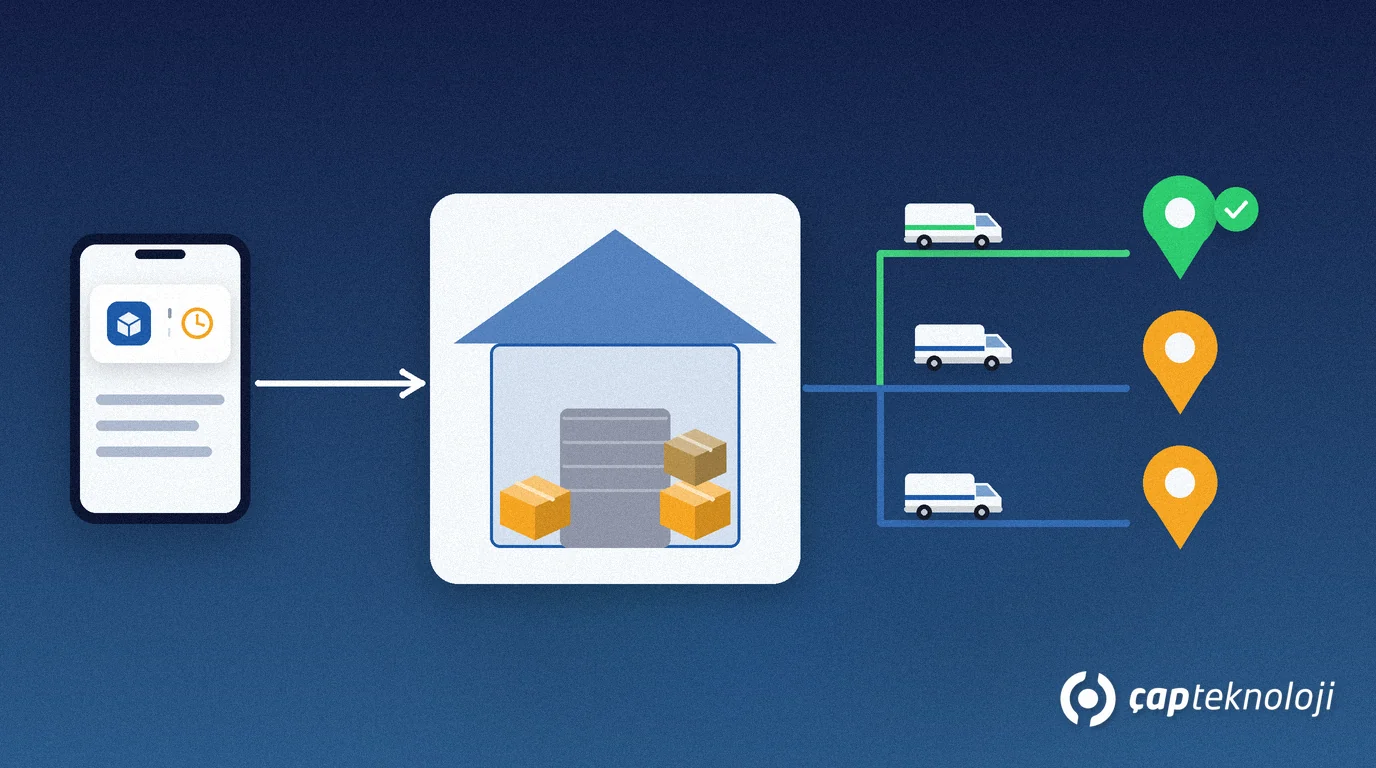
In short: Dispatch planning in field sales means planning how an order taken by the rep is prepared in the warehouse and reaches the right customer, on the right vehicle, in the right order. A solid plan rests on five things: a clear order cut-off time, verified stock, approved orders, grouping by area and route, and differences recorded at delivery.
An order taken in the field is only the first half of the job. If it reaches the warehouse late, stock runs short or the vehicle is loaded in the wrong order, the customer waits for a promise the rep made. This article follows the path an order takes from the field to delivery and shows how to bring order to your dispatch plan.
Contents
- What is dispatch planning?
- Why field orders make it harder
- Dispatch planning in 6 steps
- What should you measure?
- Common mistakes
- Summary and checklist
What is dispatch planning and why does it matter?
Dispatch planning is the process of deciding on which day, with which vehicle and in which order approved orders are sent to customers. It brings picking and packing in the warehouse, vehicle loading and the delivery route under one plan.
Without a plan, the warehouse tries to catch up with every order as it arrives during the day. The result is two separate trips to the same area, forgotten cartons and no clear delivery time to give the customer. A plan gets the warehouse, the driver and the rep working from the same information.
Why do field orders make dispatch planning harder?
There are two ways of working in the field, and their dispatch needs differ:
- Pre-selling (take the order, deliver later): The rep takes the order during the day, and the goods are delivered on a separate trip the next day or on an agreed day. Dispatch planning is the core of this model.
- Van selling (selling from the vehicle): The rep sells from the stock on the vehicle and delivers on the spot. Here the plan concerns loading the vehicle in the morning and counting stock at the end of the day.
In pre-selling, orders arrive all day, at different times and from different areas, and stock changes at the same time. So the plan should be made at a set cut-off time with verified data, not at the moment each order arrives.
How do you do dispatch planning in 6 steps?
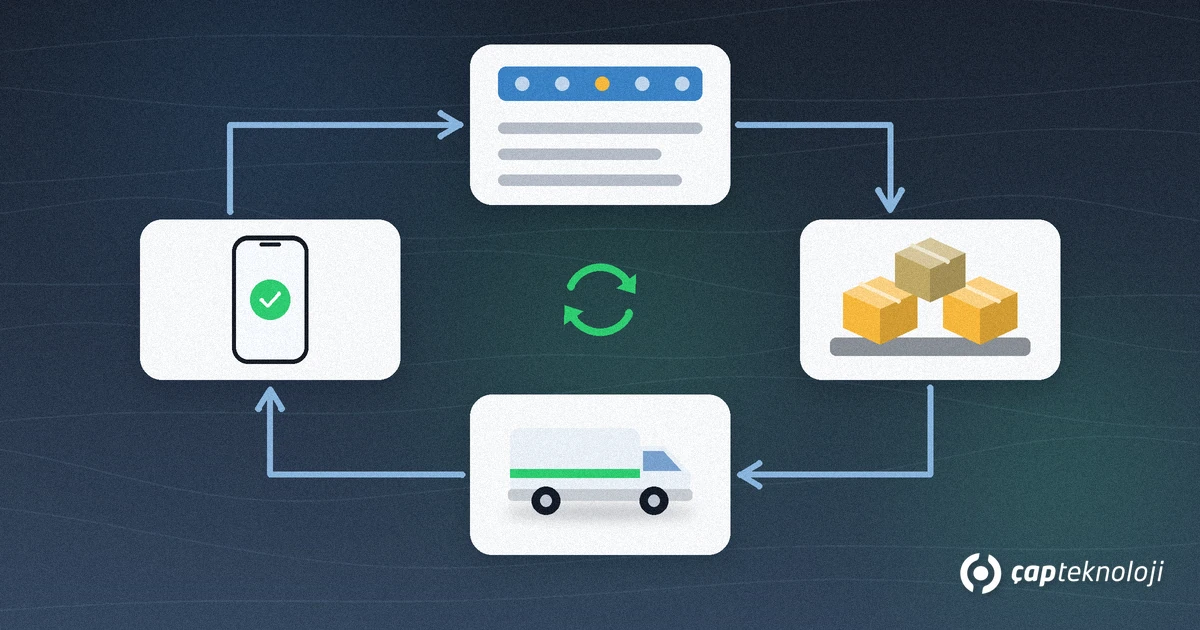
1. Set an order cut-off time
Fix a cut-off time for planning: orders received by then go into the next trip’s plan, later ones into the following trip. Reps and customers should know the cut-off time, so the question “if I order today, when does it arrive?” has a clear answer.
2. Verify the stock
At the cut-off time, compare the order lines with the real stock in the warehouse. If stock was not set aside at order time, the same product may have been promised to several orders. Read our article on stock reservation at order time to prevent this. Record the quantity you could not fulfil; it helps later with demand planning (lost sales analysis).
3. Separate risky and pending orders
Resolve orders that exceed the credit limit or wait for a manager’s approval before they enter the dispatch plan. Otherwise goods are loaded and then stopped. To move limit checks to the order stage, use our article on credit limit control.
4. Group orders by area and route
Group approved orders by delivery area and assign each group to a vehicle. The customer’s requested delivery day, store receiving hours and the vehicle’s capacity come into play here. The goal is to avoid sending several trips to the same area and to load the vehicle in a sensible order: the goods for the last customer go in first, those for the first customer go in last.
5. Pick, pack and label
Print a pick list for every order in the warehouse and label transport units such as cartons and pallets. To identify transport units one by one, GS1’s SSCC (Serial Shipping Container Code) standard is used: an SSCC is an 18-digit number that identifies a logistic unit such as a case, pallet or parcel. Scanning barcodes during loading reduces the chance that a missing or wrong carton goes on the vehicle.
6. Get delivery confirmation and record differences
At delivery, the rep or driver should have the delivered quantity confirmed and record anything missing, damaged or rejected together with the reason. This record cuts disputes with the customer and corrects the next day’s plan. Legal shipping documents (delivery notes, e-delivery notes) depend on your ERP settings and the regulations; clarify them with your accountant.
What should you measure in dispatch planning?
Start with a small set of indicators and track them every week with the same definition:
- On-time delivery: the share of orders delivered on the promised day.
- Short deliveries: the difference between ordered and delivered quantity and its reason.
- Unplanned dispatches: the number of orders sent urgently or on an extra trip.
- Reasons for rejection at delivery: damage, wrong product, late delivery.
These indicators show whether the problem lies in the warehouse, in stock or in the order flow. For reporting, you can also connect your ERP data to a tool such as Power BI.
Common mistakes in dispatch planning
- No cut-off time: The plan keeps changing and neither warehouse nor driver is sure until the end.
- Not verifying stock at planning time: Loaded goods turn out not to be enough.
- Loading unapproved orders: A limit or approval problem surfaces at the customer’s door.
- Thinking about the route separately from the warehouse: The loading order does not match the delivery order.
- Not recording differences: The same shortage repeats every day because its cause is never known.
Summary and dispatch planning checklist
- Is the order cut-off time defined and known to everyone?
- Are order lines compared with real stock at planning time?
- Are orders that wait for a limit check or approval resolved before they enter the plan?
- Are orders grouped by area and vehicle, and does the loading order follow the delivery order?
- Are transport units labelled and scanned?
- Are differences and rejection reasons recorded at delivery?
Dispatch planning connects the order in the field with the work in the warehouse in one flow. At ÇAP Teknoloji, S-Leader field sales automation works integrated with Logo and Mikro ERP and makes orders taken in the field, customer balances and daily routes visible. To align the order process with the warehouse and dispatch flow in your ERP, we offer ERP consulting; contact us to talk it through.
Frequently Asked Questions
What is dispatch planning?
It is the process of deciding on which day, with which vehicle and in which order approved orders are sent to customers. Picking and packing, vehicle loading and the delivery route come together in one plan.
How does dispatch planning differ between pre-selling and van selling?
In pre-selling the rep takes an order and the goods are delivered on a separate trip later; dispatch planning is the core of that model. In van selling the goods are on the rep’s vehicle and delivered on the spot; the plan concerns morning loading and the end-of-day count.
Why do you need an order cut-off time?
Orders arrive all day and stock keeps changing. Planning at a set cut-off time with verified data prevents a constantly changing plan and the lack of a clear delivery time for the customer.
Which indicators should you track in dispatch planning?
On-time delivery, short deliveries, unplanned dispatches and reasons for rejection at delivery are enough to start. Tracked weekly with the same definition, they show whether the problem is in the warehouse, in stock or in the order flow.