




In short: A Power BI star schema is a data model that splits report data into fact tables, which record events, and dimension tables, which describe them. When you break one wide ERP sales export into this structure, totals stay consistent, filters behave as expected and report authors find fields quickly. Microsoft recommends this approach for Power BI semantic models.
In many SMEs the first Power BI report starts the same way: a forty-column sales report is exported from the ERP to Excel, connected to Power BI and covered with charts. The trouble begins when sales targets or stock balances arrive as a second file: the product filter changes one chart but not the other, and totals no longer add up. Our Power BI dashboard for SMEs article covers which KPIs to track; this one is about the data model underneath them.
Contents
- What is a Power BI star schema?
- Why one wide ERP table is not enough
- From ERP data to a star schema: 7 steps
- Snowflake or one dimension table?
- 5 common modelling mistakes
- Checklist
- Summary
What is a Power BI star schema?
A star schema is a modelling approach with a fact table of events in the centre, surrounded by dimension tables that describe those events, all connected by one-to-many relationships.
According to Microsoft’s guide to star schema and Power BI, dimension tables describe business entities such as products, people, places and time, while fact tables store events and observations such as sales orders, stock balances or exchange rates. In ERP terms:
| Property | Fact table | Dimension table |
|---|---|---|
| What it stores | Events and numeric values (quantity, amount) | Descriptive attributes (name, group, region) |
| ERP example | Invoice lines, stock movements, sales targets | Item card, customer card, sales rep, warehouse, date |
| Number of rows | Many, grows over time | Relatively few |
| Role in a report | Summarised (sum, average) | Filters and groups |
| Side of the relationship | “Many” side | “One” side |
The grain of a fact table is what one row represents, for example “one row per invoice line” or “one target per month and product”.
Why one wide ERP table is not enough
Report exports from an ERP are usually denormalised: product name, product group, customer, city and sales rep repeat on every row. Microsoft recommends using Power Query to split such exports into separate fact and dimension tables.
The reason is that every report visual sends a query to the model, and those queries filter, group and summarise. When dimension tables handle filtering and grouping and fact tables handle summarising, one product table can filter sales, targets and stock at the same time. In one wide table, every new source brings its own product columns, and the filters drift apart.
From ERP data to a star schema: 7 steps
- Define the questions and the grain. Write down the questions the report must answer and decide what one row of each fact table represents. The grain within a table must be consistent.
- Pick the fact tables. Sales invoice lines, purchase lines, stock movements and sales targets are separate fact tables. Do not put monthly targets into the same table as daily sales.
- Extract the dimension tables. Build separate tables for items, customers, sales reps and warehouses from the ERP master data. The fields users filter on (group, brand, city, region) belong here.
- Add a separate date table. Microsoft notes that the date dimension is the most consistent table in a star schema. Invoice, order and target dates connect to the same calendar, which supplies year, month and quarter.
- Sort out the keys. Power BI relationships use a single unique column in one table. If a dimension table has no such column, add an index column in Power Query.
- Build one-to-many relationships. Let filters flow from the dimension to the fact table. Do not connect two fact tables directly; let them meet through shared dimensions. If you plan row-level security, this structure also makes it easier to put role filters on dimension tables; see our Power BI row-level security guide.
- Write explicit DAX measures. Create explicit measures for revenue, quantity and margin, and hide columns that must not be summed, such as unit price. If users will connect with Analyze in Excel, explicit measures are required.
Where should the transformation happen? For small and medium volumes, Power Query can be enough. With large volumes, or when you need to keep the history of customers and sales reps, Microsoft recommends building a data warehouse and an ETL process first. Heavy report queries against the live ERP database can also slow down ERP screens; in that case see our Logo database slow checklist.
Snowflake or one dimension table?
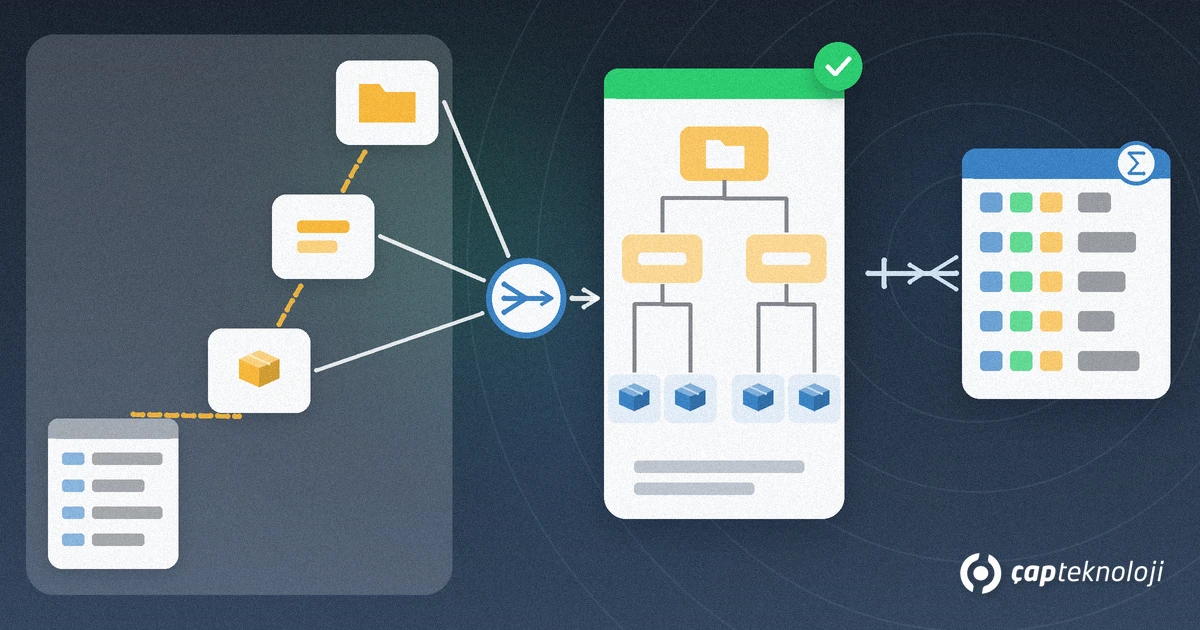
A snowflake dimension is one business entity split into several related tables: item, subgroup and main group sit in separate tables. ERP systems often store data this way.
Microsoft states that combining these into a single dimension table generally brings more benefits in Power BI. If you copy the snowflake into the model as it is:
- More tables are loaded, which is less efficient for storage and performance.
- Filters travel along longer relationship chains.
- Users see more tables in the Data pane, and the model feels cluttered.
- You cannot build one hierarchy from columns in different tables.
In a single table you can build a “main group, subgroup, item” hierarchy and drill down in reports. In very large dimension tables the repeated data can increase model size, so decide based on your data volume.
5 common modelling mistakes
- Leaving everything in one table: Filters become inconsistent as soon as a second source arrives.
- Mixing grains: Putting monthly targets and invoice lines in one table breaks the totals.
- Making one table both fact and dimension: Microsoft recommends not mixing the two types in one table.
- Summing a column that should not be summed: A sum of unit prices means nothing; write measures for average, minimum or maximum instead.
- Trying to keep history in Power Query: If old sales should stay with a sales rep’s former region after a move, you need a versioned dimension (SCD Type 2). According to Microsoft, Power Query cannot produce it; a data warehouse has to track the changes.
Checklist
- Is the grain of every fact table written down in one sentence?
- Are items, customers, sales reps, warehouses and dates separate dimension tables?
- Does every dimension have a single unique key column?
- Are all relationships one-to-many, with filters flowing from dimension to fact?
- Are all date fields connected to one date table?
- Are the core KPIs written as explicit DAX measures, with columns like unit price hidden?
- Have you assessed whether data volume or history needs call for a data warehouse?
Summary
A Power BI star schema splits ERP data into fact and dimension tables so that reports filter correctly and produce consistent totals. Define the grain, separate facts from dimensions, add a shared date table, keep relationships one-to-many and write KPIs as explicit measures. With this foundation in place, business users can also build their own reports safely, as described in our self-service BI article. At ÇAP Teknoloji we can build your Power BI model from your ERP data with you as part of our business intelligence (BI) consulting; reach us via our contact page.
Frequently Asked Questions
What is the difference between a star schema and a snowflake schema?
In a star schema each business entity (item, customer, date) sits in one dimension table that connects directly to the fact table. In a snowflake schema the same entity is split into several related tables, such as item, subgroup and main group. Microsoft states that combining them into one dimension table generally brings more benefits in Power BI.
Should I build the star schema in Power BI or in SQL Server?
For small and medium data volumes you can do the transformations with Power Query inside Power BI. With large volumes, or if you need to keep a versioned history of customers and sales reps, Microsoft recommends building a data warehouse and an ETL process first and connecting the Power BI model to it.
Can one model have more than one fact table?
Yes. Sales, purchasing, stock movements and targets can be separate fact tables. What matters is that they connect through shared dimension tables such as item, customer and date rather than directly to each other, and that each keeps a consistent grain.
How do reports keep history when a sales rep changes region?
You need a versioned dimension (SCD Type 2): each period of the rep in a region is a separate row with start and end dates. According to Microsoft, Power Query cannot produce this; the load process of a data warehouse must track the changes, and Power BI reads the finished table.
